
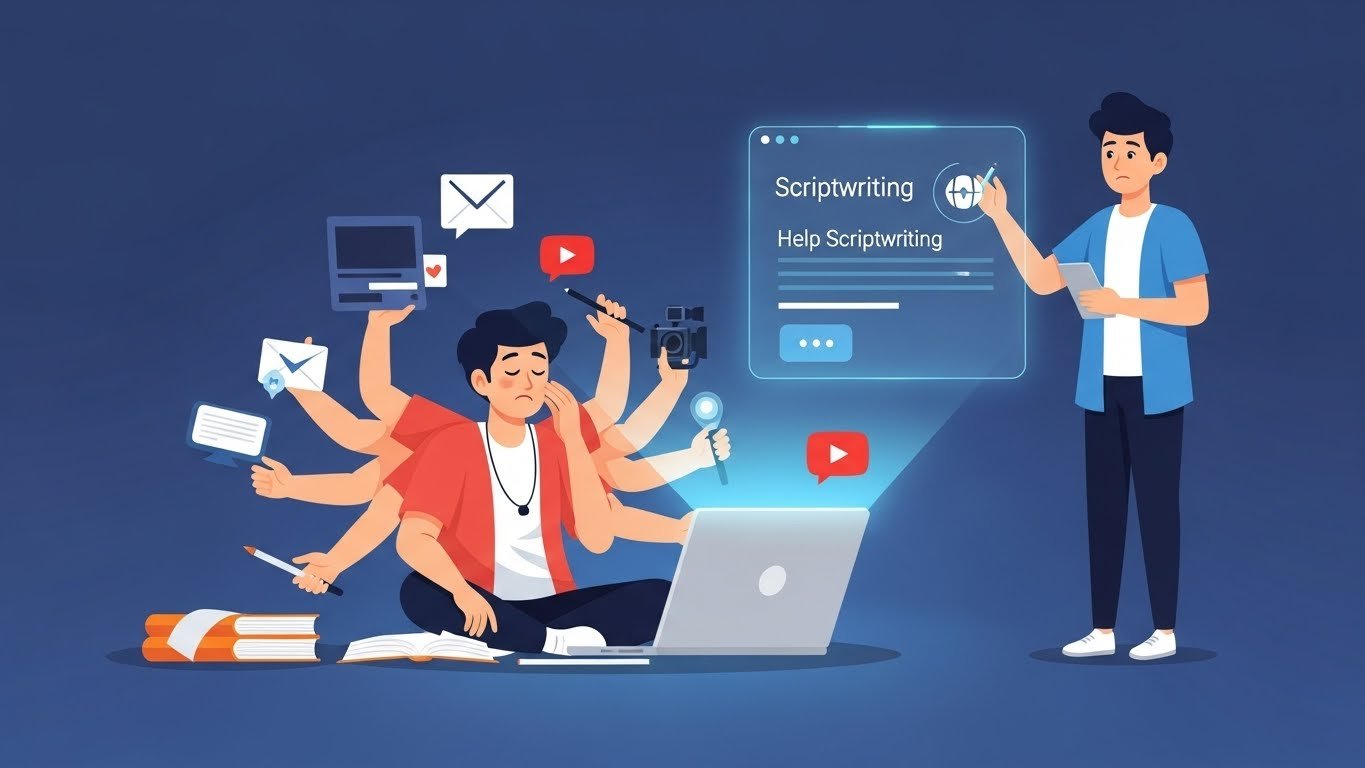
I remember sitting at my desk at 2 AM, staring at a blinking cursor, desperately trying to finish a script for a video that needed to go live in twelve hours. The coffee had long gone cold. My ideas felt stale. And I still had three more scripts to write that week.
That was about two years ago. Fast forward to today, and my entire workflow has transformed—not because I stopped writing, but because I learned how to work alongside AI tools to supercharge my scriptwriting process. The difference has been night and day.
If you’re a YouTube creator feeling overwhelmed by the constant demand for fresh content, or you’re just getting started and don’t know where to begin with scripting, this guide will walk you through everything I’ve learned about using AI to generate video scripts that actually work.
Why Creators Are Turning to AI for Scriptwriting
Let’s be honest about something first: the YouTube grind is brutal.
The platform’s algorithm rewards consistency. Creators who upload regularly tend to build audiences faster than those who post sporadically, even if the sporadic content is technically superior. This creates an impossible tension—you need quantity without sacrificing quality.
Most successful YouTubers I know spend somewhere between 4 to 8 hours writing a single video script. When you’re trying to publish two or three videos per week, that’s essentially a full-time job just for scripting. Add in filming, editing, thumbnail creation, and promotion, and you’re looking at 60+ hour workweeks easily.
AI scriptwriting tools have emerged as a genuine solution to this problem. Not as a replacement for creativity, but as a force multiplier. The creators I’ve worked with who use these tools effectively have cut their scripting time by 50-70% while maintaining—and sometimes improving—their content quality.
Setting Realistic Expectations: What AI Can and Cannot Do
Before diving into the how-to, let’s get something straight. AI is not going to hand you a perfect, ready-to-film script. If anyone’s telling you otherwise, they’re either selling something or haven’t actually tried it.
Here’s what AI excels at:
- Generating initial outlines and structures
- Brainstorming hooks and opening lines
- Researching and summarizing information quickly
- Suggesting transitions and flow improvements
- Creating multiple variations of the same idea
- Helping overcome writer’s block
Here’s what AI struggles with:
- Capturing your unique voice and personality
- Understanding inside jokes or community references
- Adding genuinely original insights or opinions
- Crafting emotional moments that feel authentic
- Knowing what will resonate with your specific audience
Think of AI as an extremely capable research assistant and first-draft writer. You’re still the director, the voice, and the creative vision. The tool just helps you get to the finish line faster.
Choosing the Right AI Tool for Your Needs
The market has exploded with options, and frankly, the choice can be overwhelming. Let me break down the main categories based on my experience testing pretty much everything out there.
General-Purpose AI Assistants
Tools like ChatGPT, Claude, and Google’s Gemini are versatile workhorses. They weren’t built specifically for YouTube scripts, but their flexibility makes them incredibly powerful for this purpose. I personally use these for about 80% of my scriptwriting work because you can customize prompts extensively and the output quality has improved dramatically over the past year.
The learning curve is moderate—you’ll need to develop skill in writing effective prompts—but once you’ve got that down, these tools offer unmatched flexibility.
Dedicated YouTube Script Tools
Platforms like Jasper, Copy.ai, and Writesonic have specific templates designed for video content. The advantage here is simplicity. You plug in your topic, maybe answer a few questions about your audience and tone, and get structured output.
The downside? These tend to produce more formulaic results. They’re great for certain content types—listicles, how-to videos, product reviews—but can feel limiting for more creative or personality-driven content.
Specialized Video Content Platforms
Newer entrants like Syllaby and VidIQ’s AI features are designed specifically for YouTube creators. They often integrate keyword research, trend analysis, and script generation into one package. If you’re serious about YouTube as a business, these all-in-one solutions can save significant time by combining multiple steps of your workflow.
The Step-by-Step Process for Generating Quality Scripts
Alright, let’s get practical. Here’s the workflow I’ve refined over countless videos:
Step 1: Start with Strategic Research
Don’t jump straight into script generation. Spend 15-20 minutes on research first:
- Look at what’s already ranking for your topic
- Identify gaps in existing content you can fill
- Check trending topics in your niche
- Review comments on related videos for questions people are asking
This research becomes the foundation for your AI prompts. The more context you can provide, the better your output will be.
Step 2: Create Your Content Brief
Before touching any AI tool, I write a simple brief that includes:
- Video topic and main angle
- Target audience specifics
- Three key points I want to cover
- Desired video length
- Tone (educational, entertaining, inspirational, etc.)
- Any specific examples or stories to include
This brief takes maybe five minutes but dramatically improves AI output. Think of it as giving your assistant clear instructions rather than vague directions.
Step 3: Generate Your Initial Structure
Here’s where AI really shines. I typically ask for an outline first, not a full script. Something like:
“I need an outline for a 10-minute YouTube video about [topic]. My audience is [description]. I want to cover these main points: [your points]. The tone should be [your tone]. Create a structured outline with a hook, introduction, main sections, and conclusion.”
The AI will return a structured framework you can review and modify before moving to the full script.
Step 4: Expand Section by Section
Rather than asking for the entire script at once, I’ve found much better results by expanding the outline piece by piece. Take each section from your outline and ask the AI to develop it fully.
This approach gives you more control over pacing, lets you inject your own ideas as you go, and produces more varied content since each section gets individual attention.
Step 5: Craft Your Hook Separately
The first 30 seconds of your video determine whether people stick around or bounce. This is too important to leave to a single AI generation.
I generate 5-10 different hook options, review them all, and usually combine elements from several. Your hook should create curiosity, establish relevance, and give viewers a reason to stay. AI can give you raw material, but you’ll need to craft the final version yourself.
Step 6: Add Your Personal Layer
This is the step most people skip, and it shows. After getting your AI-generated draft, you need to:
- Add personal anecdotes and experiences
- Include references your audience will recognize
- Adjust phrasing to match how you actually talk
- Insert humor that fits your personality
- Remove anything that feels generic or off-brand
I typically spend 30-45 minutes on this personalization pass for a 10-minute video script. It’s where good content becomes great content.
Step 7: Read Aloud and Revise
Always, always read your script out loud before filming. AI writing often sounds fine when reading but feels awkward when spoken. You’ll catch:
- Sentences that are too long for comfortable delivery
- Words that are difficult to pronounce or tongue-twisters
- Transitions that feel abrupt
- Sections that drag on too long
Mark these spots and revise until the script flows naturally when spoken.
Advanced Techniques That Improve Results
Once you’ve got the basics down, these techniques will elevate your scripts further:
Train the AI on Your Style
Most advanced AI tools allow you to feed them examples of your previous content. I provide 3-5 of my best-performing scripts when starting a new project, asking the AI to analyze and match the style. The difference in output quality is significant.
Use Specific Formatting Instructions
Tell the AI exactly how you want the script formatted. I typically request:
- Visual cues in brackets [show example on screen]
- B-roll suggestions noted throughout
- Emphasis markers for important phrases
- Timing estimates for each section
- Pause indicators for dramatic effect
This saves editing time later and keeps your filming organized.
Create Topic Clusters
Instead of treating each video as isolated, I plan content in clusters of 3-5 related videos. When generating scripts, I reference the other videos in the cluster, asking the AI to create logical connections and callbacks. This builds a more cohesive viewer experience and encourages binge-watching.
Build a Prompt Library
Over time, you’ll discover prompts that consistently produce great results. Save these. I have separate prompt templates for:
- Educational explainer videos
- Product reviews
- Trending topic commentary
- Tutorial walkthroughs
- Storytelling narratives
Each template is refined based on what’s worked, making future scripts faster and better.
Common Mistakes and How to Avoid Them
I’ve made every mistake in the book. Here’s what to watch out for:
Mistake #1: Publishing First Drafts
AI output is a starting point, not a finished product. Creators who post AI-generated scripts without significant editing end up with generic, forgettable content that doesn’t grow their channels. Always revise.
Mistake #2: Ignoring Your Audience’s Language
AI tends toward neutral, broad language. Your audience speaks in specific ways with particular phrases, slang, and references. Pay attention to how they communicate in comments and community posts, then incorporate that language into your scripts.
Mistake #3: Over-relying on One Tool
Different tools excel at different things. I use one tool for research and outlines, another for creative hooks, and sometimes a third for fact-checking. Diversify your toolkit.
Mistake #4: Skipping Fact Verification
AI can confidently state incorrect information. Especially for educational or news content, verify every claim, statistic, and quote. Getting facts wrong damages your credibility and can lead to audience trust issues that take months to rebuild.
Mistake #5: Forgetting the Visual Medium
Written content and video content are fundamentally different. Effective YouTube scripts account for visuals, pacing, energy changes, and viewer engagement in ways that articles don’t need to. Make sure your AI prompts specify you need a video script, not an article.
Ethical Considerations Worth Thinking About
As AI becomes more prevalent in content creation, some important questions deserve consideration.
Transparency: Do you owe your audience disclosure about AI use? There’s no clear industry standard yet, but I lean toward transparency when AI has played a significant role in content creation. Most viewers seem to care more about value than methodology, but honesty builds trust.
Originality: If everyone uses the same tools with similar prompts, won’t all content start sounding the same? This is a real concern. The solution is using AI for scaffolding while bringing genuine originality through your perspective, experiences, and insights.
Quality Responsibility: AI makes it easy to pump out content at scale. But more content isn’t always better—for you or the platform. I’d encourage maintaining quality standards even when production becomes faster.
Attribution: When AI helps summarize research or gather information from multiple sources, make sure you’re still properly crediting original sources where appropriate.
Real-World Results: What to Expect
Let me share some realistic outcomes based on my experience and conversations with other creators:
A cooking channel creator I know went from publishing one video per week to three, while actually improving her engagement metrics. The AI handles recipe research, ingredient lists, and basic instruction scripting, while she focuses on personality, camera presence, and the storytelling elements that make her channel unique.
A tech review channel maintained their deep-dive quality while cutting production time by 40%. They use AI primarily for spec comparisons and competitive analysis, freeing mental energy for genuine opinions and testing insights.
A personal finance educator generates first drafts for complex explanation videos in about 20 minutes. Previously, research and initial writing took 3-4 hours. He spends the saved time on better examples, more detailed graphics, and community engagement.
The common thread? All of these creators use AI to handle the grind work while doubling down on what makes their content special.
Looking Forward: The Evolving Landscape
The AI scriptwriting space is evolving rapidly. Tools that felt cutting-edge six months ago already seem dated. A few trends worth watching:
Integration with video editing platforms is improving. Soon, you’ll likely be able to generate scripts that automatically create rough cuts, suggest music, and identify relevant stock footage.
Voice cloning combined with script generation is raising interesting possibilities for content localization and repurposing.
Real-time audience analysis may soon inform script generation, creating content that’s optimized based on what’s actually working for your specific audience.
My advice: stay adaptable. The creators who thrive will be those who view these tools as evolving partners rather than fixed solutions.
Getting Started: Your First AI-Assisted Script
If you’re new to this, here’s how to begin today:
- Choose one AI tool to start (ChatGPT is a solid choice for beginners due to its accessibility and flexibility)
- Pick a video topic you’ve been planning
- Spend 15 minutes on research
- Write a simple content brief
- Ask for an outline first
- Expand section by section
- Add your personal touches
- Read aloud and refine
Your first AI-assisted script will probably take almost as long as your old process. That’s normal. You’re learning a new skill. By your fifth script, you’ll be significantly faster. By your twentieth, you’ll wonder how you ever managed without it.
Final Thoughts
The question isn’t really whether to use AI for YouTube scriptwriting—the tools are too powerful and too accessible to ignore. The real question is how to use them while maintaining the authentic voice and genuine value that builds real audiences.
The creators who are winning right now aren’t the ones using AI to replace themselves. They’re the ones using AI to amplify themselves—to do more of what they do best while offloading the tedious parts of content creation.
Start experimenting. Make mistakes. Find what works for your specific content style and audience. The learning curve is worth climbing.
And maybe next time you’re staring at a blank page at 2 AM, you won’t be alone. You’ll have a pretty capable assistant ready to help you get started.
Have you tried using AI for your YouTube scripts? I’d genuinely love to hear what’s working—and what isn’t—in your experience. The best insights I’ve gained have come from conversations with other creators in the trenches.