
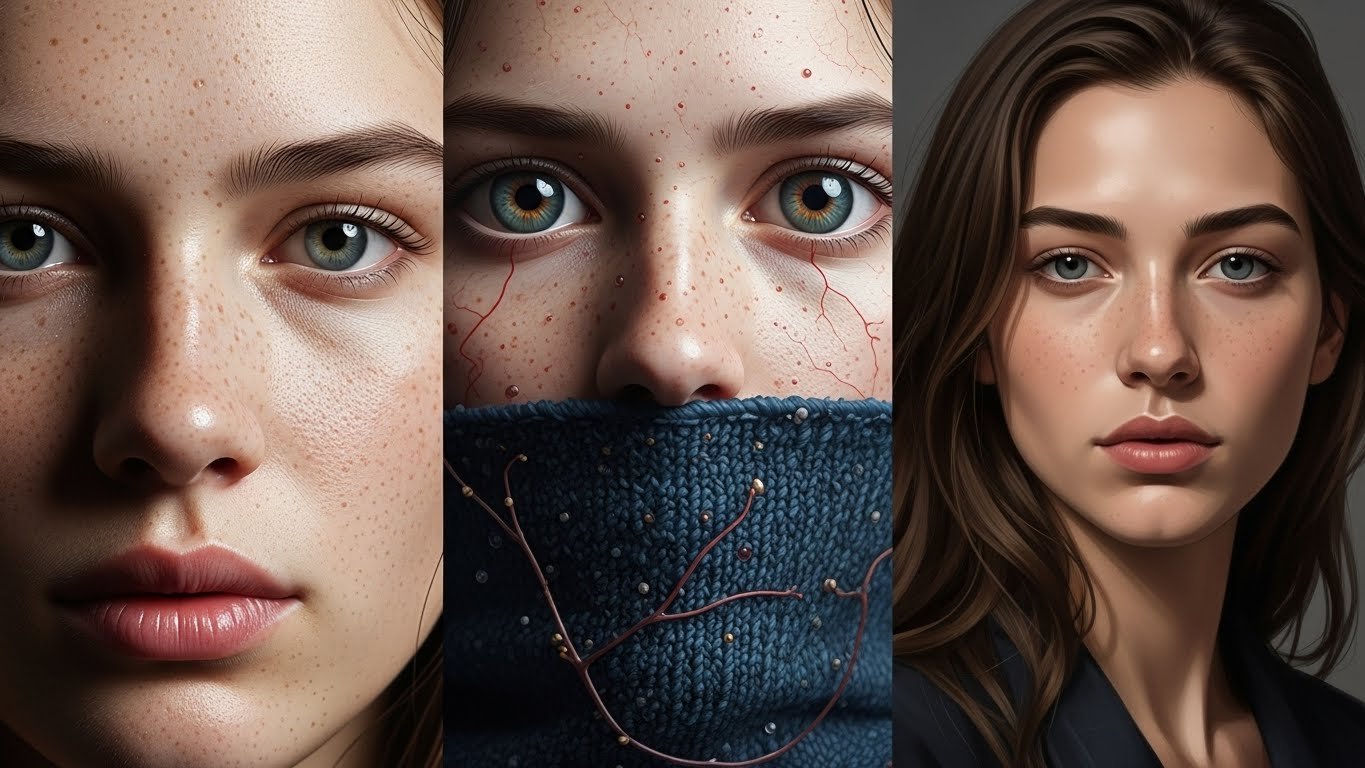
The first AI portrait I generated that genuinely fooled someone happened about eighteen months ago. I was showing my portfolio to a client—a game developer looking for character concept art—and they pointed to one image and said, “Who’s your model? She has incredible bone structure.” She wasn’t anyone. She didn’t exist. That moment crystallized something I’d been gradually realizing: we’d crossed a threshold where AI-generated faces weren’t just impressive technical demonstrations—they were indistinguishable from photographs to casual observation.
I’ve spent the better part of three years working with AI image generation, initially as a curiosity, then as a creative tool, and now as a significant part of my professional workflow as a concept artist and digital illustrator. Portrait generation specifically has become something of a specialty, partly because it’s the most technically demanding application and partly because getting it right requires understanding both the technology and human perception in ways that other subjects don’t demand.
This guide represents what I’ve learned through countless hours of experimentation, failure, and refinement. Not the theoretical overview you’d find in documentation, but the practical knowledge that comes from actually doing this work.
Understanding What “Realistic” Actually Means
Before diving into tools and techniques, we need to establish what we’re aiming for—because “realistic” means different things in different contexts.
Photorealistic portraits attempt to be indistinguishable from photographs. Every pore, every hair, every subtle skin texture needs to convince the viewer they’re looking at a real person captured by a camera. This is the hardest target and the one most people mean when they say “realistic.”
Hyperrealistic portraits go beyond photography, rendering detail that cameras typically don’t capture—individual pores at high magnification, blood vessel patterns in eyes, microscopic fabric textures. These images read as “real” but almost supernaturally detailed.
Naturalistic portraits might be clearly rendered or stylized while still depicting believable human beings with realistic proportions, lighting, and expression. Think high-end digital painting rather than photography.
Each target requires different approaches, prompting strategies, and tool choices. I’ll focus primarily on photorealistic generation since that’s what most people are pursuing, but the principles apply broadly.
The Current Tool Landscape
The technology has fragmented into several distinct options, each with genuine strengths and limitations. Let me walk through what I actually use and why.
Midjourney
Midjourney remains my primary tool for portrait generation, despite its quirks. The latest versions (V6 and beyond) have achieved genuinely remarkable photorealistic capability. Faces render with consistent anatomy, lighting behaves physically correctly, and skin textures have reached a level of sophistication that routinely surprises me.
What Midjourney does exceptionally well is interpret natural language prompts in intuitive ways. You can describe a person—their age, ethnicity, expression, the quality of light, the mood—and receive results that genuinely match your vision. The aesthetic sensibility baked into the model tends toward polished, commercial-quality imagery, which works beautifully for portraits.
The limitations are real though. Midjourney operates through Discord, which feels increasingly awkward as a professional workflow. You have less granular control compared to open-source alternatives. And certain specific characteristics—exact ages, very particular ethnic blends, unusual features—can be challenging to nail consistently.
Pricing runs around $10-60/month depending on usage tier, which is reasonable for professional application.
Stable Diffusion (via various interfaces)
For control and customization, nothing matches Stable Diffusion and its ecosystem. Running locally or through services like Automatic1111, ComfyUI, or cloud platforms like RunPod, SD offers capabilities that closed platforms simply can’t match.
The portrait-specific models within this ecosystem are remarkable. Realistic Vision, CyberRealistic, and various photorealistic checkpoints can produce faces that match or exceed Midjourney’s quality when properly configured. More importantly, techniques like ControlNet allow you to specify exact poses, use reference images for consistent characters, and control generation in ways that feel almost like traditional digital painting.
The trade-off is complexity. Getting optimal results from Stable Diffusion requires understanding model selection, sampler settings, CFG scales, and numerous technical parameters. There’s a learning curve that can feel steep if you’re coming from simpler tools.
I use SD primarily when I need specific control—matching a particular pose, maintaining character consistency across multiple images, or achieving effects that Midjourney’s prompt system can’t express.
DALL-E 3
OpenAI’s DALL-E 3, accessible through ChatGPT Plus or the API, offers the most natural language understanding of any current tool. You can describe exactly what you want in conversational English, and it generally understands nuance that other tools miss.
For portraits specifically, DALL-E 3 produces solid results but with a noticeable aesthetic that’s hard to escape—slightly smoothed, somewhat idealized, recognizably “DALL-E.” Photorealism is achievable but requires specific prompting to push past the default style.
Where DALL-E 3 excels is accessibility and speed. If you need a decent portrait quickly and you’re not chasing absolute photorealism, it’s hard to beat the convenience of describing what you want in plain language and getting reasonable results within seconds.
Leonardo.ai
Leonardo has carved out interesting territory, particularly for portraits. Their PhotoReal mode and various fine-tuned models produce consistently impressive results with less technical overhead than Stable Diffusion.
The platform offers a middle ground: more control than Midjourney, more accessibility than running SD locally, and specific features for portrait generation that work genuinely well. Their character consistency tools are particularly useful for creating the same individual across multiple images.
I find myself using Leonardo when I need to produce multiple consistent portraits quickly—character sheets, expression studies, or sets of images featuring the same fictional person.
The Actual Process: Step by Step
Let me walk through how I actually approach generating a realistic portrait from initial concept to final image.
Step 1: Conceptualization
Before touching any tool, I clarify what I’m actually trying to create. This sounds obvious but skipping this step leads to aimless iteration.
I consider: Who is this person? Not just demographics, but character. A 35-year-old investment banker and a 35-year-old jazz musician have different energy, different life experience written into their faces. What emotion or state am I capturing? What’s the context—professional headshot, candid moment, dramatic portrait? What era, what culture, what socioeconomic reality?
This conceptualization informs every subsequent decision. I sometimes sketch rough notes or reference images before generating anything.
Step 2: Reference Gathering
Even though I’m creating a fictional person, reference material dramatically improves results. I collect:
- Lighting references: photographs with the lighting quality I’m aiming for
- Composition references: the framing and angle I want
- Mood references: images capturing the emotional tone
- Feature references: not to copy, but to understand how certain characteristics actually look
Pinterest boards work well for this. So does a simple folder of saved images. The goal isn’t to have the AI copy these references—it’s to inform my prompting and evaluation of results.
Step 3: Initial Prompt Construction
Here’s where the real work begins. Let me share my actual prompting approach for Midjourney, since that’s where I do most portrait work.
A basic portrait prompt might look like:
“Portrait photograph of a woman in her late 40s, Mediterranean features, silver-streaked dark hair, warm brown eyes, subtle crow’s feet, gentle knowing smile, soft natural window light from the left, shallow depth of field, shot on Canon 5D Mark IV with 85mm lens, photorealistic, 8K detail”
Let me break down why each element matters:
“Portrait photograph” – Establishes format and medium. Specifying “photograph” pushes toward photorealism rather than illustration.
“woman in her late 40s” – Age specification. Being specific about age range produces better results than vague terms like “middle-aged.”
“Mediterranean features” – Ethnicity/heritage indication. I find descriptive geographic terms work better than attempting to specify exact ethnic backgrounds.
“silver-streaked dark hair, warm brown eyes, subtle crow’s feet” – Specific physical details that add believability and character. The imperfections are crucial—flawless faces read as fake.
“gentle knowing smile” – Expression with emotional subtext. “Knowing smile” conveys something different than just “smile.”
“soft natural window light from the left” – Lighting direction and quality. Being specific about light produces dramatically better, more coherent results.
“shallow depth of field” – Photography-specific term that creates realistic optical effects.
“shot on Canon 5D Mark IV with 85mm lens” – Camera and lens specification. This sounds like prompt magic, but it genuinely influences rendering style. Different camera mentions produce subtly different aesthetic qualities.
“photorealistic, 8K detail” – Quality and style reinforcement.
Step 4: Initial Generation and Evaluation
I generate an initial batch—usually four images in Midjourney—and evaluate them critically. At this stage, I’m looking for:
- Anatomical correctness: Are the eyes aligned? Is the nose centered? Are the proportions human?
- Lighting coherence: Does light behave consistently across the face?
- Feature rendering: Do skin, hair, and eyes look realistic at full resolution?
- Expression authenticity: Does the emotion read as genuine?
- Technical artifacts: Any obvious AI tells—weird backgrounds, melting elements, impossible reflections?
Rarely does the first generation produce a finished result. Usually, I identify elements that work and aspects that need refinement.
Step 5: Iterative Refinement
This is where patience matters. I might:
Vary the prompt – Adding or adjusting descriptors to push results in desired directions. If skin looks too smooth, I might add “visible pores, realistic skin texture, minor imperfections.” If expression is too intense, I might soften the emotional language.
Use variations – Most tools let you generate variations of promising results. This explores nearby possibility space without starting from scratch.
Adjust parameters – In Midjourney, the –stylize parameter affects how much the model imposes its aesthetic versus following your prompt literally. Lower values produce more literal interpretations; higher values introduce more artistic interpretation.
Try different seeds – Specifying seed values lets you reproduce and modify specific results. Finding a good seed and then tweaking the prompt is often more efficient than pure random generation.
I typically go through 5-15 iteration cycles for a portrait I’m genuinely satisfied with. Sometimes more. Quick generation is possible; excellent results require refinement.
Step 6: Upscaling and Enhancement
Initial generations are typically not print-resolution. Final steps involve:
Upscaling – Midjourney’s built-in upscaling works reasonably well. For higher quality, I sometimes use dedicated upscaling tools like Topaz Gigapixel or Real-ESRGAN implementations. These can push results to genuinely print-worthy resolutions.
Detail enhancement – Inpainting specific areas that need refinement. Eyes, in particular, often benefit from targeted regeneration at higher resolution.
Color and tone adjustment – Running results through Lightroom or Photoshop for final color grading, just as you would with actual photographs.
Prompting Strategies That Actually Work
Let me share specific techniques I’ve developed through extensive experimentation.
The Photography Mindset
The single most effective shift in my prompting came when I started thinking like a photographer rather than someone describing a person. Photographers think about:
- Light quality and direction
- Lens choice and depth of field
- Film stock or sensor characteristics
- Composition and framing
- Environmental context
Prompts that include these considerations produce markedly better results than pure subject description. “Portrait of a man” produces generic results. “Intimate close-up portrait, soft diffused light from overcast sky, Hasselblad medium format, natural skin tones, shallow focus on eyes” produces something that looks intentionally created.
Imperfection Engineering
Flawless faces look fake. Real faces have:
- Asymmetry (eyes slightly different sizes, slightly uneven features)
- Skin texture (pores, fine lines, subtle discoloration)
- Environmental interaction (how light plays across actual three-dimensional features)
- Natural variation in skin tone across different facial areas
I explicitly include imperfection cues: “realistic skin texture with visible pores, subtle under-eye shadows, minor forehead lines, natural asymmetry.” This feels counterintuitive—we’re asking for flaws—but it’s essential for believability.
Age-Appropriate Details
AI models often struggle with age, defaulting toward youthful faces or adding superficial “old age” signifiers without understanding aging’s actual effects. Specific age-appropriate details help:
For 30s-40s: “early smile lines, subtle crow’s feet beginning, established facial structure”
For 50s-60s: “deeper expression lines, skin texture showing life experience, potentially gray in hair, eyes showing depth of experience”
For elderly subjects: “pronounced wrinkles following natural facial muscle patterns, age spots, thinning skin showing more bone structure, clouding in eyes”
The key is specificity about how aging actually manifests rather than cartoon shorthand.
Emotional Authenticity
Expression prompting is tricky. Basic emotion words (“happy,” “sad,” “angry”) produce posed, theatrical expressions. More effective:
Instead of “smiling”: “corners of eyes crinkling in genuine amusement, relaxed jaw, warmth reaching eyes”
Instead of “sad”: “weight behind eyes, slightly downturned corners of mouth, distant gaze”
Instead of “confident”: “direct eye contact, slight asymmetric smile, relaxed but alert posture”
Describing the physical manifestation of emotion rather than naming the emotion produces more convincing results.
Lighting as Character
Lighting isn’t just technical—it’s emotional and narrative. Different lighting scenarios create completely different portraits of the same person:
Rembrandt lighting (classic portrait lighting with triangle of light on shadowed cheek): “Rembrandt lighting setup, single key light from 45 degrees, dramatic shadows”
Soft overcast: “diffused natural light from overcast sky, minimal shadows, even soft illumination”
Golden hour: “warm late afternoon sunlight, long shadows, amber color temperature, slight lens flare”
Harsh direct light: “strong midday sun, hard shadows, high contrast, slight squinting”
Specifying lighting transforms portraits from generic to intentional.
Common Problems and How to Fix Them
Through hundreds of hours of portrait generation, I’ve cataloged recurring issues and developed solutions.
The “AI Look”
You know it when you see it—that slightly plastic, over-processed quality that screams artificial generation. Causes include:
- Over-smoothed skin without texture
- Too-perfect symmetry
- Uncanny valley expression
- Inconsistent lighting on different facial features
- Slightly wrong eye reflection/catchlight
Solutions:
- Explicitly request imperfections and texture
- Use photography-specific terminology that grounds results in physical reality
- Avoid superlatives (“perfect,” “beautiful,” “stunning”) which push toward idealized unreality
- Request specific camera and lens to introduce optical characteristics
Eye Problems
Eyes are where AI portraits most often fail. Common issues include:
- Uneven gaze direction (one eye looking slightly wrong)
- Incorrect reflections (different things reflected in each eye)
- Anatomically wrong structure
- Dead or unfocused look
Solutions:
- Specify “realistic eye detail, correct catchlights, focused gaze”
- Generate at higher resolution and upscale to force more detail
- Use inpainting to regenerate eyes specifically
- Include the focus point: “sharp focus on eyes” or “eyes as focal point”
Hands and Accessories
If your portrait includes hands or detailed accessories, you’re entering danger territory. These remain challenging for all current models.
Solutions:
- Crop compositions to avoid hands when possible
- If hands are necessary, keep them simple—no complex finger positions
- Be extremely specific about hand position: “hands folded simply” rather than letting the model improvise
- Plan for inpainting or compositing to fix hand issues
Consistency Challenges
Generating the same person across multiple images remains difficult, though improving. Solutions:
- Use character reference features where available (Leonardo’s character consistency, Midjourney’s character reference)
- With Stable Diffusion, train a LoRA on generated images you like
- Detailed, consistent prompting with specific feature descriptions
- Use face-locking techniques in ControlNet workflows
Background Integration
Faces may render beautifully while backgrounds become incoherent. Solutions:
- Specify simple backgrounds: “neutral gray studio backdrop,” “soft bokeh urban environment”
- Use shallow depth of field to blur backgrounds intentionally
- Generate on simple backgrounds and composite if needed
- Apply inpainting to fix background issues while preserving portrait
Advanced Techniques Worth Learning
Once you’ve mastered basics, these techniques elevate results further.
ControlNet for Pose and Composition
Within Stable Diffusion, ControlNet allows using reference images to guide generation. For portraits, this means you can:
- Use a pose reference to generate a new person in exactly that position
- Apply composition from one image while generating entirely new content
- Maintain consistent framing across multiple portraits
The learning curve is real, but the control is unmatched. I use ControlNet when specific pose or composition is essential.
Face Restoration Tools
Dedicated face restoration models like GFPGAN and CodeFormer can enhance AI-generated faces, fixing subtle issues and improving detail. Running generated portraits through these tools often produces meaningful quality improvements, particularly for eyes and skin texture.
Multi-Stage Generation
For maximum quality, consider pipeline approaches:
- Generate initial portrait at base resolution
- Upscale using dedicated upscaler
- Run face restoration on the upscaled image
- Inpaint specific problem areas at high resolution
- Final color grading and adjustment
This takes more time but produces results that genuinely rival professional photography.
Consistent Character Systems
For projects requiring the same individual across multiple images, develop systematic approaches:
- Create a detailed character description document that you use consistently
- Generate a “reference sheet” of the character from multiple angles
- Use these references with image-prompting features to maintain consistency
- Consider training custom models on your character for maximum consistency
Ethical Considerations That Actually Matter
I’d be irresponsible not to address the ethical dimensions of this technology. These aren’t abstract concerns—they’ve shaped how I approach this work.
Consent and Likeness
Generating portraits of real people without their consent is ethically problematic and potentially illegal, depending on jurisdiction and use. Even generating someone who looks “inspired by” a real person treads difficult territory.
My practice: I only generate entirely fictional individuals, and I avoid prompting for specific real person resemblance. When clients request someone who looks like a celebrity, I redirect toward describing the characteristics they find appealing rather than referencing the actual person.
Deepfakes and Deception
The same technology that creates beautiful portraits enables harmful deepfakes. The realism we’re pursuing is exactly what makes deceptive misuse dangerous.
I believe transparency is essential. When I use AI-generated portraits professionally, clients know the provenance. I don’t represent AI generations as photographs of real people. The technology is powerful enough that we have responsibility for how we deploy it.
Representation and Bias
AI models encode biases from training data. Common issues include:
- Defaulting toward certain ethnic appearances when none is specified
- Struggling with accurate representation of some ethnicities
- Associating certain characteristics with certain demographics
Thoughtful prompting can counter this, but awareness of the issue is the first step. I make conscious effort to generate diverse representations and to push back when models default toward narrow demographic norms.
Economic Impacts
AI portrait generation affects commercial photography, stock imagery, and illustration markets. These are real economic shifts that affect real people.
I don’t have clean answers here. The technology exists and will continue developing regardless of individual choices. My view is that it creates new creative possibilities while also disrupting existing markets—a pattern that’s occurred repeatedly throughout technological history. Being honest about this reality seems better than pretending it doesn’t exist.
Practical Applications and Use Cases
Let me share how this technology actually gets used in professional contexts.
Concept Art and Character Design
This is my primary application. Generating faces for game characters, film concepts, book covers, and similar projects. AI allows rapid exploration of character possibilities, visualizing descriptions from scripts or novels, and presenting options to clients far faster than traditional methods.
The workflow typically involves generating many options, refining promising directions, and often using AI portraits as reference for traditional illustration rather than as final assets.
Stock and Marketing Imagery
Businesses need diverse human imagery for marketing, websites, and presentations. AI-generated portraits provide alternatives to stock photography with more specific control over demographics, expressions, and styling.
Ethical use requires not representing these as photographs of real people—using them as illustrations or being transparent about their AI origin.
Privacy-Protecting Representations
Sometimes you need to represent individuals without using their actual images. AI-generated portraits can create representative imagery that protects privacy while still communicating what’s needed.
Personal Projects and Artistic Exploration
Beyond commercial applications, portrait generation enables personal artistic exploration—creating characters for stories, visualizing historical figures with modern techniques, exploring identity and representation through generated imagery.
Where This Is Heading
Having watched this technology evolve rapidly, I have some sense of trajectory.
Consistency will improve. The challenge of generating the same person reliably across multiple images is being actively solved. Expect this to become essentially seamless within a year or two.
Video is coming. Portrait generation will extend into video synthesis, creating moving, talking faces. Early versions exist; they’ll become mainstream relatively soon.
Control will increase. The ability to specify exactly what you want—every feature, every lighting nuance, every emotional subtlety—will continue expanding.
Detection will evolve alongside generation. As generation improves, so will detection tools. The cat-and-mouse continues.
Integration with other tools will deepen. Expect AI portraits to become embedded in design software, video tools, and creative platforms rather than requiring separate generation workflows.
Final Thoughts
Three years ago, I couldn’t have generated portraits that fooled anyone. Today, I routinely create faces that prompt double-takes from people who know I work with AI. That trajectory will continue.
But the technology itself is just capability. What matters is what we do with it—the creativity we apply, the ethics we maintain, the problems we solve. The tools keep improving; our responsibility for using them thoughtfully remains constant.
If you’re just starting with AI portrait generation, begin simply. Generate, observe, iterate. Pay attention to what works and why. Develop your eye for quality and authenticity. The technical skills come with practice; the aesthetic judgment and ethical framework you’ll need to cultivate deliberately.
The portraits I’m proudest of aren’t the most technically perfect—they’re the ones that capture something true about the fictional people they depict. Character, presence, the sense of a life being lived behind those artificial eyes. When that happens, the technology fades and art emerges.
That’s what we’re really pursuing here. The tools will keep evolving. The goal—creating images that move, inform, and connect—remains timeless.