
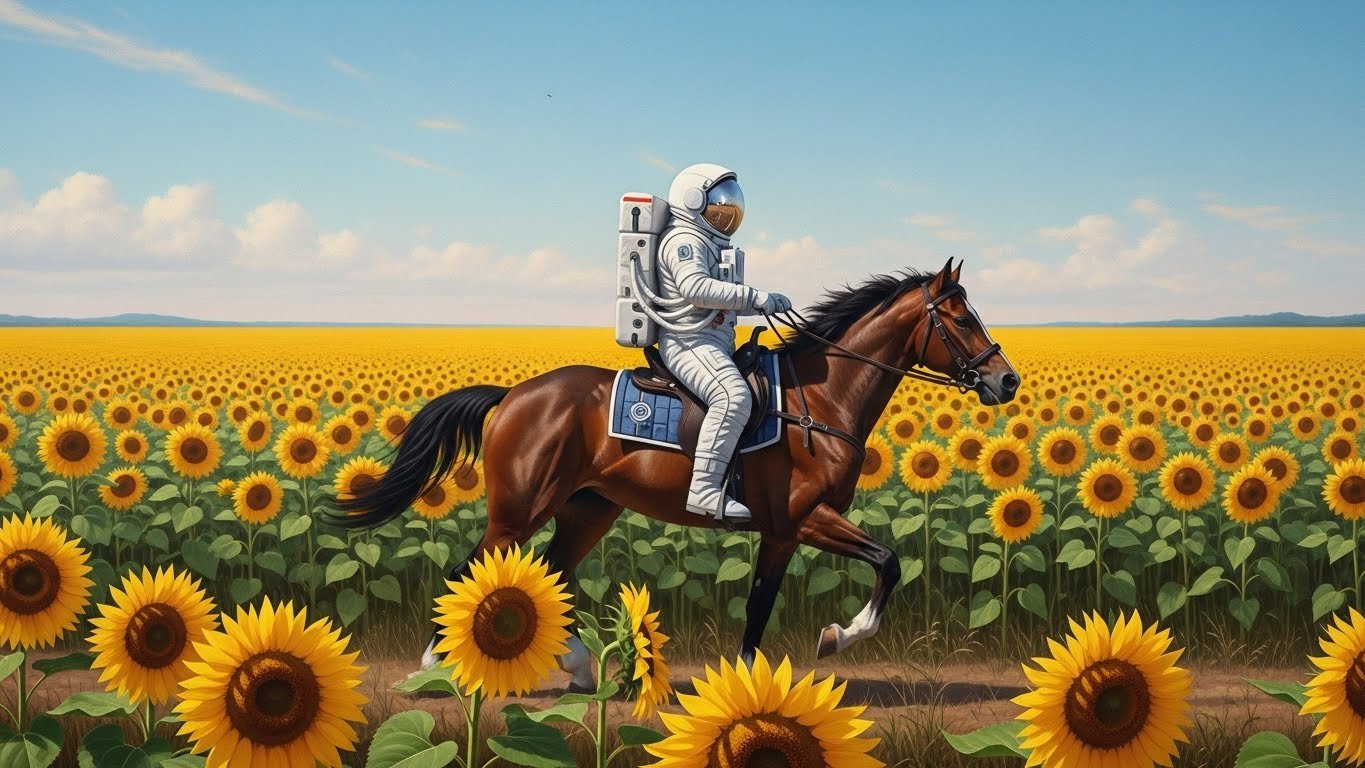
Three years ago, I laughed off text-to-image generators as novelty toys. The outputs were weird, often grotesque—melted faces, impossible hands, dreamlike nightmares that seemed more accidental than intentional. I remember showing my design colleagues an early attempt at generating “a cat sitting on a windowsill at sunset” and we all agreed: traditional illustration had nothing to worry about.
I was spectacularly wrong.
Today, AI art generators sit at the center of my creative workflow. Not as replacements for my skills, but as collaborators that have fundamentally changed how I approach visual projects. I’ve used these tools for client mood boards, concept art, book covers, social media graphics, and personal exploration. I’ve watched them evolve from producing curiosities to generating images that genuinely move people.
After spending hundreds of hours (and more money than I’d like to admit) testing every major platform, I want to share what I’ve learned about which tools actually deliver—and which ones aren’t worth your time.
The Text-to-Image Revolution: Why This Matters
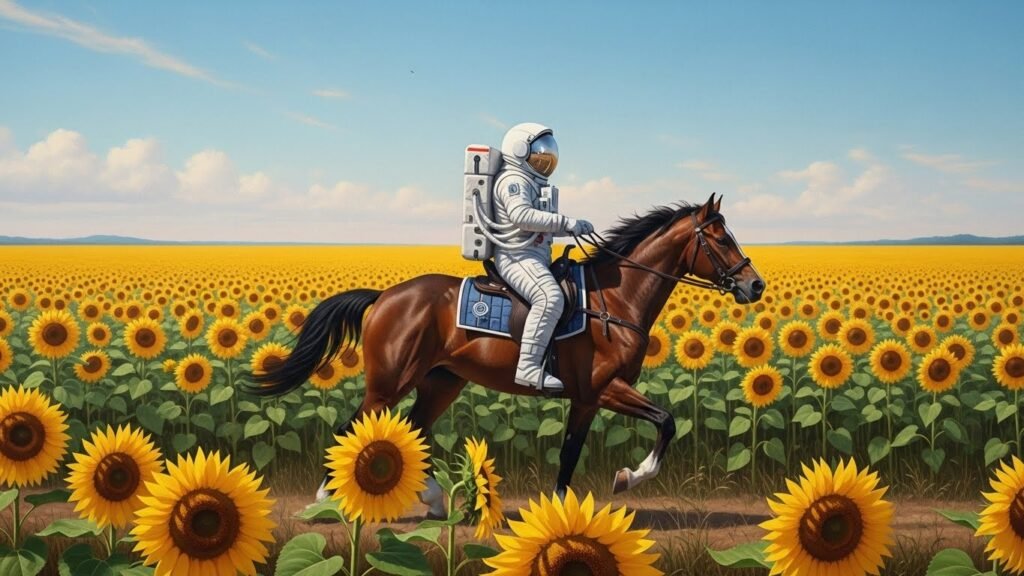
Let’s be clear about what we’re discussing. Text-to-image AI tools allow you to type a description—called a prompt—and receive generated artwork based on that input. Type “astronaut riding a horse through a field of sunflowers, oil painting style,” and within seconds, you have exactly that.
The implications are staggering for anyone working in visual fields:
Concept artists can explore dozens of directions before committing to detailed work. Small business owners without design budgets can create professional-looking marketing materials. Authors can visualize characters and scenes for their novels. Game developers can rapidly prototype visual styles. Educators can generate custom illustrations for teaching materials.
But perhaps most importantly, people who never considered themselves artists can now bring visual ideas to life. That democratization of creativity—for better and worse—represents a genuine shift in how we think about art and imagery.
What Separates Great AI Art Tools from Mediocre Ones
Before diving into specific platforms, let me explain what I evaluate when testing these tools:
Image Quality and Coherence: Does the output look polished? Are the details accurate? This seems obvious, but quality varies dramatically between platforms—and even between different modes within the same platform.
Prompt Understanding: Can the tool interpret complex, nuanced descriptions? Some platforms handle simple prompts well but fall apart with detailed instructions. Others excel at understanding creative direction.
Stylistic Range: Can it produce photorealistic images AND watercolor illustrations AND abstract art? Versatility matters for creative professionals who work across genres.
Text Rendering: If you need words in your images—logos, signs, book titles—this becomes crucial. Many tools struggle terribly with text, producing gibberish that looks almost-but-not-quite like readable words.
Speed and Reliability: Does generation take seconds or minutes? Does the platform crash during peak hours? Consistency matters when deadlines loom.
Customization and Control: Can you guide specific aspects of the image? Adjust the composition? Maintain consistency across multiple generations?
Commercial Rights: Can you legally use these images for business purposes? The licensing landscape is complex and essential to understand.
Ethical Training Practices: Was the model trained responsibly? This question has become increasingly important to many artists.
With these criteria established, let’s examine the tools that have earned places in my workflow.
The Leading AI Art Generators of 2026
Midjourney: The Reigning Champion for Aesthetic Quality
I’ll be direct: if I could only use one text-to-image tool, it would be Midjourney. No other platform consistently produces images with the same level of artistic sophistication and visual appeal.
Midjourney images have a quality that’s hard to articulate—they feel considered, intentional, almost curated. The default aesthetic leans toward cinematic and slightly stylized, which works beautifully for most creative applications. When I need a hero image for a website, concept art for a project pitch, or artwork that needs to impress clients, Midjourney is my first choice.
Version 6 (the current iteration) brought significant improvements to prompt understanding and photorealism. Earlier versions sometimes ignored portions of complex prompts or interpreted them unexpectedly. V6 follows instructions more reliably while maintaining the platform’s signature visual quality.
The learning curve is moderate. Midjourney operates through Discord, which confuses newcomers but becomes intuitive quickly. You type commands in chat channels, and images appear as replies. The community aspect—watching others’ generations, borrowing prompt techniques—actually enhances the experience once you embrace it.
Pricing runs $10-60 monthly depending on usage tier. Most individual creators find the $30 Standard plan sufficient, offering around 15 hours of GPU time monthly.
Where Midjourney falls short: Text rendering remains inconsistent. While V6 improved significantly, generating readable words in images still requires luck and multiple attempts. The Discord-only interface frustrates users who want a traditional web application. And for certain photorealistic needs—particularly portraits of specific ethnicities or body types—other tools sometimes perform better.
Best for: Concept art, editorial illustrations, marketing imagery, social media graphics, artistic exploration, book covers, album artwork.
DALL-E 3: The Most Intuitive Option for Beginners
OpenAI’s DALL-E 3 takes a different approach than Midjourney—prioritizing accessibility and instruction-following over pure aesthetic appeal. If Midjourney is the temperamental artist who produces beautiful work but interprets your brief creatively, DALL-E 3 is the reliable designer who delivers exactly what you asked for.
This precision matters more than you might think. DALL-E 3 understands complex spatial relationships (“a blue vase to the left of a red book on a wooden table”), handles multiple subjects effectively, and follows compositional instructions that stump other tools. When I need specific elements in specific arrangements, DALL-E 3 consistently delivers.
The integration with ChatGPT deserves special mention. Rather than crafting prompts from scratch, you can conversationally describe what you want. “I need an image for my blog about sustainable gardening—something warm and inviting, showing a small backyard vegetable garden in morning light.” ChatGPT refines this into an optimized prompt and generates the image. This conversational approach dramatically lowers the barrier to entry.
Text rendering is notably better than competitors. While still imperfect, DALL-E 3 produces readable text in images more reliably than any alternative I’ve tested. For designs requiring integrated typography—posters, book covers, social graphics with text overlays—this capability is invaluable.
Access comes through ChatGPT Plus ($20/month) or the API for developers. The ChatGPT integration means you’re getting multiple tools for one subscription price.
Limitations to know: DALL-E 3’s default style leans slightly generic compared to Midjourney’s artistic flair. Images often require post-processing to achieve distinctive looks. Content policies are also stricter—the system refuses certain prompts that other platforms accept, which can frustrate users with legitimate creative needs.
Best for: Precise compositional needs, images with text, beginner users, quick iterative design work, professional presentations, content requiring accurate representation.
Stable Diffusion: The Powerhouse for Control and Customization
Stable Diffusion occupies a unique position in this landscape—it’s open source, infinitely customizable, and can run locally on your own hardware. For technical users willing to invest time in setup and learning, it offers capabilities no commercial platform matches.
The core advantage is control. Want to generate variations of a specific character across dozens of images while maintaining consistency? Stable Diffusion can do that through trained LoRA models. Need to generate images in a hyper-specific style that doesn’t exist in other platforms? Train your own model. Want to modify specific elements of an existing image while preserving others? ControlNet provides that precision.
This customization comes with complexity. Running Stable Diffusion effectively requires understanding model weights, samplers, CFG scales, and various technical parameters. Web interfaces like Automatic1111 and ComfyUI help, but the learning curve remains steep compared to commercial alternatives.
For those intimidated by local installation, platforms like Leonardo AI and RunPod offer cloud-hosted Stable Diffusion with user-friendly interfaces. Leonardo AI, in particular, has become my recommendation for users who want Stable Diffusion’s flexibility without technical headaches.
Stable Diffusion XL (SDXL) represents the current state-of-the-art open model, producing images that rival commercial alternatives in quality. The recently released Stable Diffusion 3 shows further improvements, though ecosystem support is still developing.
Pricing is technically free if you run locally (though hardware costs apply). Cloud platforms typically charge $10-25 monthly for reasonable usage.
Drawbacks: The fragmented ecosystem can overwhelm newcomers. Quality varies dramatically depending on model selection and settings. Without proper configuration, outputs may look inferior to commercial alternatives. And the permissive nature means encountering inappropriate content in community resources.
Best for: Technical users, artists wanting maximum control, character consistency across projects, training custom styles, privacy-conscious users, budget-limited creators with capable hardware.
Adobe Firefly: The Commercially Safe Choice
Adobe entered the AI art space with a crucial differentiator: Firefly is trained exclusively on licensed content, Adobe Stock images, and public domain works. This means generated images are safe for commercial use without the legal uncertainties plaguing other platforms.
For professional designers and agencies, this distinction matters enormously. When a client asks whether they can use AI-generated imagery in their national advertising campaign, Firefly provides a clear yes. Other platforms exist in greyer legal territory.
The quality has improved dramatically since launch. Early Firefly outputs looked noticeably inferior to competitors, but recent updates brought significant improvements. While still not matching Midjourney’s aesthetic heights, Firefly now produces professional-grade imagery suitable for most commercial applications.
Integration with Adobe’s Creative Suite adds practical value. Generate images directly within Photoshop, expand canvases with AI-matched content, remove or replace elements seamlessly. For Adobe subscribers, Firefly extends their existing tools rather than adding another platform to manage.
The Generative Fill and Expand features deserve particular praise. Select an area in Photoshop, describe what you want there, and Firefly generates contextually appropriate content. This image editing functionality often proves more practically useful than pure text-to-image generation.
Pricing is included with Creative Cloud subscriptions or available standalone starting at $4.99/month for limited generations.
Where Firefly disappoints: Creative range feels narrower than competitors. Unusual styles, highly artistic interpretations, and pushing creative boundaries—Firefly handles these less gracefully. The training data limitations that ensure commercial safety also restrict the aesthetic vocabulary the model can draw from.
Best for: Professional designers, agencies, commercial projects, integration with Adobe workflow, risk-averse businesses, brand asset creation.
Ideogram: The Text Rendering Specialist
If your primary need involves generating images with readable text—posters, logos, social media graphics with captions, merchandise designs—Ideogram deserves serious consideration. No other tool approaches its text rendering accuracy.
I discovered Ideogram while struggling to create a book cover concept with an integrated title. After twenty failed attempts in Midjourney and a dozen in DALL-E, I tried Ideogram and got readable text on my second generation. That experience converted me.
Beyond text capabilities, Ideogram produces surprisingly artistic images across various styles. The “magic prompt” feature optimizes your input, often improving results substantially over literal interpretation.
The free tier is remarkably generous—100 generations daily at the Priority level. For testing and casual use, you may never need to pay.
Limitations exist: Overall image quality, while good, doesn’t match Midjourney’s polish. The platform is newer, meaning fewer community resources and tutorials exist. Certain artistic styles feel less refined than specialized competitors.
Best for: Designs requiring text integration, logo concepts, poster design, social media graphics, merchandise mockups, typography-heavy projects.
Leonardo AI: The Versatile Middle Ground
Leonardo AI has quietly become one of the most capable platforms available. It combines Stable Diffusion’s customization with the usability of commercial platforms, offering an impressive feature set at competitive pricing.
The model selection sets Leonardo apart. Choose from dozens of fine-tuned models optimized for different styles—photorealistic portraits, anime, architectural visualization, fantasy art. Each produces distinctly different results, essentially giving you multiple specialized tools within one platform.
Canvas editing features allow manipulating generated images directly in the browser. Erase elements, regenerate specific areas, upscale, add elements—without switching to external software. This integrated workflow accelerates iteration significantly.
The character consistency tools have become increasingly sophisticated. Creating reference images of characters and maintaining their appearance across multiple generations—essential for storytelling, game development, and brand mascots—works better here than most alternatives.
Pricing starts free with limited daily generations, with paid plans from $12/month providing substantial usage.
Considerations: The abundance of options can overwhelm new users. Achieving optimal results often requires experimenting with different models and settings. And while versatile, Leonardo rarely exceeds specialized tools at their specific strengths.
Best for: Versatility across styles, users wanting Stable Diffusion flexibility without technical setup, character-consistent projects, rapid prototyping, budget-conscious professionals.
Bing Image Creator: The Free Starting Point
Powered by DALL-E, Microsoft’s Bing Image Creator offers a genuinely free entry point for exploring text-to-image generation. The quality matches DALL-E 3 because it essentially is DALL-E 3, accessed through Microsoft’s interface.
For beginners unsure whether AI art tools fit their needs, starting here makes sense. Generate images, understand the basic workflow, experience the magic of text-to-image—without spending anything.
Limitations are significant for serious use: Daily generation limits, no commercial rights clarity, limited customization options, and watermarked outputs in some cases. Consider this a trial experience rather than a professional solution.
Best for: Beginners, casual exploration, testing concepts before investing in paid tools, personal projects.
Comparing Tools for Specific Use Cases
After extensive testing, here’s how I’d match tools to particular needs:
Concept Art and Illustration: Midjourney first, Leonardo AI second
Commercial Marketing Materials: Adobe Firefly for safety, DALL-E 3 for precision
Social Media Graphics with Text: Ideogram for text-heavy, DALL-E 3 for balanced needs
Character Design and Consistency: Leonardo AI or Stable Diffusion with trained models
Photorealistic Images: DALL-E 3 or Midjourney V6 in raw mode
Artistic Exploration: Midjourney for aesthetics, Stable Diffusion for experimentation
Technical Control and Customization: Stable Diffusion (local or cloud-hosted)
Beginning the Journey: Bing Image Creator free, then DALL-E 3 via ChatGPT
The Ethical Landscape: What Every User Should Consider
I can’t discuss AI art tools responsibly without addressing the ethical complexities surrounding them.
Training Data Concerns: Most AI art models were trained on images scraped from the internet, often without creator consent or compensation. Many artists view this as theft of their work and livelihood. This isn’t a hypothetical concern—class action lawsuits are proceeding, and the legal landscape remains unsettled.
Adobe Firefly’s licensing-focused training represents one response to these concerns. Some artists specifically avoid other platforms for ethical reasons. Others argue that learning from existing work—human or AI—has always been part of artistic development. There’s no easy answer here, but the question deserves honest consideration.
Impact on Working Artists: Illustration jobs have declined since AI art emerged. Whether this represents temporary disruption or permanent displacement remains debated. I’ve seen talented illustrators lose work to AI generation; I’ve also seen illustrators who’ve embraced these tools expand their capabilities and client base.
My personal position: AI tools work best as collaborators, not replacements. The artists thriving in this landscape use AI for ideation and iteration while bringing irreplaceable human judgment, storytelling, and refinement to final work.
Copyright and Ownership Questions: Can you copyright AI-generated images? Current guidance suggests pure AI outputs may not receive copyright protection, while substantially human-modified works might. This legal uncertainty has practical implications for commercial use.
Representation and Bias: AI models reflect biases in their training data. Prompts for “doctor” may default to male presentations; prompts for “beautiful” may favor certain ethnicities and body types. Awareness of these biases—and active prompting to counteract them—matters for ethical use.
Practical Tips for Better Results
After generating thousands of images, I’ve developed techniques that consistently improve outputs:
Be Specific, Then More Specific: “A dog” produces generic results. “A golden retriever puppy with floppy ears sitting in autumn leaves, warm afternoon light, shallow depth of field, portrait photography” produces something you can actually use.
Study Platform-Specific Language: Each tool responds differently to prompts. Midjourney loves artistic references (“in the style of Moebius,” “Wes Anderson color palette”). DALL-E 3 excels with spatial descriptions. Learn what works for your primary platform.
Iterate Relentlessly: Your first generation is rarely your best. Generate variations, adjust prompts based on what you see, regenerate elements you like. The magic often emerges on attempt fifteen, not attempt one.
Use Negative Prompts When Available: Specifying what you don’t want often improves results as much as specifying what you do want. “No text, no watermarks, no distorted hands” removes common artifacts.
Maintain Reference Libraries: When you achieve exceptional results, save the prompts that created them. Build a personal library of successful approaches for different styles and subjects.
Combine AI with Traditional Skills: The best results often come from using AI outputs as starting points, then refining in Photoshop, Procreate, or other traditional tools. AI handles ideation and base imagery; human skill handles finesse.
My Current Workflow
Let me describe how these tools fit into my actual creative process:
For client concept work, I typically start in Midjourney, generating twenty to thirty variations across different visual directions. These help clients understand possibilities before committing to detailed work. The aesthetic quality makes these images compelling presentations rather than rough sketches.
When I need precise compositions—specific text placement, exact arrangements—I switch to DALL-E 3. The instruction-following accuracy saves iteration time.
For projects requiring character consistency—a mascot appearing across multiple marketing pieces, for instance—Leonardo AI provides the necessary tools.
Everything gets refined in Photoshop, where Firefly’s generative tools handle element removal, background extension, and detail enhancement.
This multi-tool approach sounds complex, but each platform’s strengths become obvious with use. No single tool does everything best.
Looking Forward
The pace of improvement in this space remains remarkable. Tools that seemed cutting-edge eighteen months ago now feel dated. Midjourney V7 promises further quality improvements. Stable Diffusion 3’s architecture enables new capabilities. Competition drives rapid advancement across all platforms.
Video generation is the obvious next frontier—tools like Runway, Pika, and Sora are bringing text-to-video capabilities that seemed impossible recently. Within a year or two, the distinctions between still image and motion generation may blur significantly.
My advice: develop skills with current tools while remaining adaptable. The platforms that dominate today may not dominate tomorrow. The underlying skill—communicating visual ideas effectively, whether to human artists or AI systems—transfers across tools.
Final Recommendations
If you’re entering this space fresh, here’s my practical guidance:
Start with DALL-E 3 through ChatGPT. The conversational interface and reliable instruction-following provide the gentlest learning curve. Twenty dollars monthly gets you a tool that handles most casual needs.
Graduate to Midjourney when aesthetics matter. Once you understand basic prompting and want to create genuinely impressive imagery, Midjourney’s quality justifies the subscription.
Add specialized tools as specific needs arise. Need text in images? Try Ideogram. Need Adobe integration? Add Firefly. Need maximum control? Explore Stable Diffusion.
Remember that AI is a starting point. The artists creating truly distinctive work use AI generation as one step in larger creative processes. Your taste, judgment, and refinement remain irreplaceable.
The technology will continue evolving. The fundamentals—clear communication, iterative improvement, human creativity guiding machine capability—will remain constant. Master those fundamentals, and you’ll adapt to whatever tools emerge next.
The AI art landscape changes rapidly. What’s written here reflects my experience through mid-2026, but specific features, pricing, and capabilities may have shifted by the time you read this. When in doubt, check current platform offerings directly.