
Seven years ago, I managed a customer support team of twelve people for a mid-size SaaS company. We handled about 400 tickets daily, and despite everyone working flat-out, our average response time hovered around four hours. Customer satisfaction scores were mediocre. Burnout was constant. I remember one particularly brutal Monday when our ticketing system showed 847 unresolved requests, and I seriously questioned my career choices.
Today, I consult for companies on customer support operations, and the landscape has transformed completely. Teams half the size handle twice the volume with better satisfaction scores. The difference isn’t that customers expect less or that problems became simpler. The difference is AI.
But here’s what I’ve learned after implementing AI support tools across dozens of organizations: the technology varies enormously in quality, and choosing wrong can actually make things worse. Some tools genuinely transform support operations. Others create more problems than they solve, frustrating both customers and agents.
After extensive hands-on experience with virtually every major platform, I want to share what actually works, what doesn’t, and how to make smart decisions for your specific situation.
Why AI Customer Support Has Become Essential
Let me be direct: if you’re running customer support in 2026 without AI assistance, you’re competing with a significant handicap. That’s not hype—it’s operational reality.
Customer expectations have fundamentally shifted. People expect responses within minutes, not hours. They expect support availability around the clock. They expect agents to already understand their history and context. Meeting these expectations with purely human teams requires staffing levels most companies can’t afford.
Simultaneously, support complexity has increased. Products have more features. Integration questions are more technical. Customers arrive having already searched Google, so the easy questions never reach your team. What’s left are the harder issues that require more time per ticket.
AI addresses this squeeze from multiple angles:
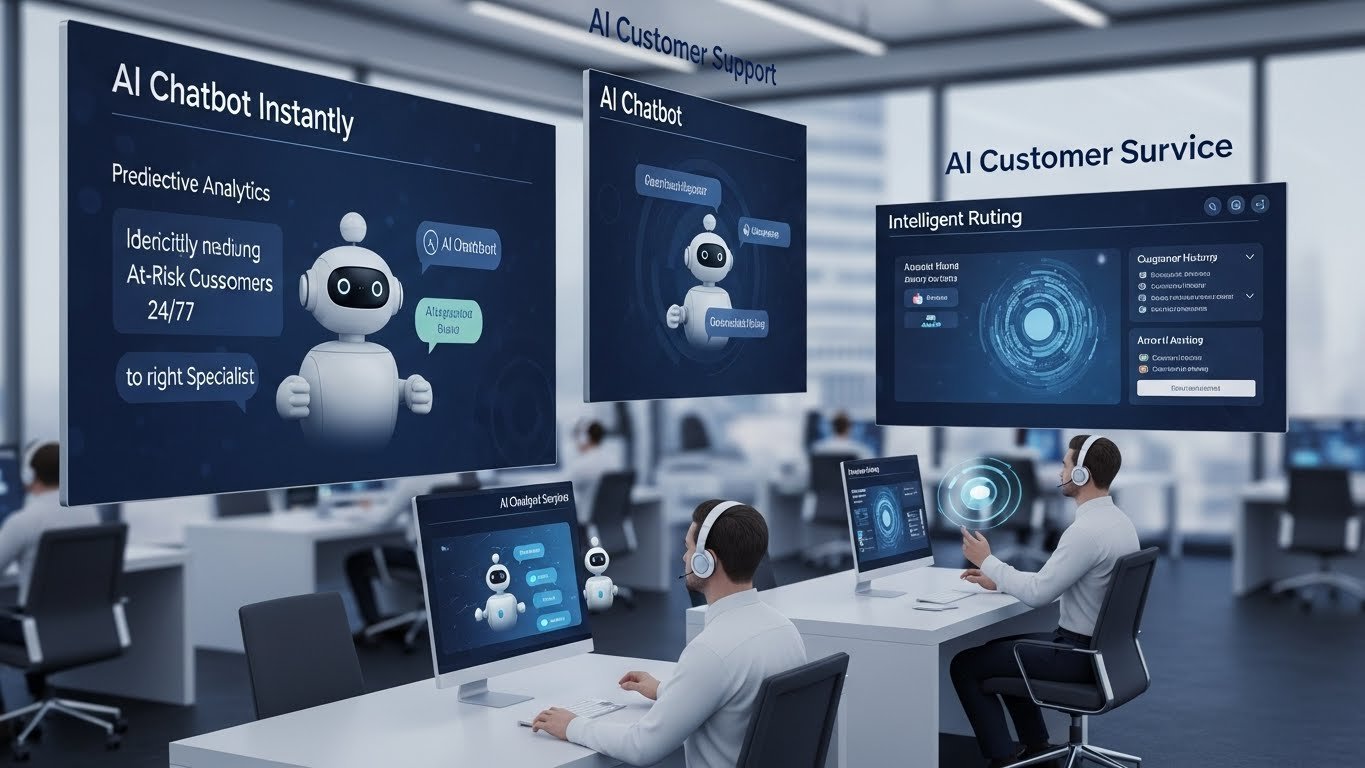
Instant responses for common questions mean customers get help immediately while human agents focus on complex issues. Well-implemented chatbots resolve 30-60% of inquiries without human involvement.
24/7 availability becomes affordable when AI handles off-hours volume. Instead of staffing night shifts or leaving customers waiting until morning, AI provides immediate assistance regardless of timezone.
Agent augmentation makes human agents more effective. AI suggests responses, surfaces relevant knowledge base articles, summarizes customer history, and handles routine tasks. Agents accomplish more in less time.
Intelligent routing ensures issues reach the right specialist immediately rather than bouncing between departments. AI analyzes ticket content and routes based on actual meaning, not just keywords.
Predictive capabilities identify at-risk customers, anticipate common issues, and enable proactive outreach before problems escalate.
The companies achieving exceptional support metrics have embraced these capabilities. Those struggling to keep up often haven’t.
Understanding the AI Customer Support Landscape
Before evaluating specific tools, understanding the categories helps clarify what you actually need.
Conversational AI and Chatbots
These are the front-line tools that interact directly with customers. Modern conversational AI has evolved far beyond the frustrating chatbots of a few years ago. The best systems understand natural language, maintain context across conversations, handle complex multi-turn dialogues, and know when to escalate to humans.
The range is enormous—from simple rule-based bots that follow decision trees to sophisticated AI that genuinely understands intent and generates contextual responses.
AI-Enhanced Helpdesk Platforms
These are comprehensive support platforms (like Zendesk or Freshdesk) that have integrated AI throughout their functionality. AI handles ticket classification, routing, suggested responses, automation triggers, and analytics. The AI works within the broader support workflow rather than as a standalone tool.
Voice AI and Call Center Automation
Phone support hasn’t disappeared—many customers still prefer calling, especially for complex or emotional issues. Voice AI handles interactive voice response (IVR) systems, call transcription, real-time agent assistance, and increasingly, fully automated voice conversations.
Knowledge Management AI
These tools focus on creating, organizing, and surfacing knowledge. They automatically suggest articles to customers, help agents find information quickly, identify knowledge gaps, and sometimes generate draft content from support interactions.
Specialized Industry Solutions
E-commerce, healthcare, financial services, and other industries have support needs that general-purpose tools address imperfectly. Specialized platforms offer industry-specific capabilities, integrations, and compliance features.
Most organizations benefit from combining tools across categories. A helpdesk platform might handle core ticketing while a specialized chatbot manages front-line conversations and a voice AI system handles phone support.
The Best AI Customer Support Tools in 2026
Intercom Fin: The Conversational AI Leader
If I had to recommend one AI customer support tool to a company starting from scratch, Intercom Fin would be it. The combination of conversational sophistication, ease of implementation, and measurable results makes it the current leader in AI-first customer support.
Fin is built on large language model technology, which means it actually understands what customers are asking rather than matching keywords to predetermined responses. It learns from your existing help content—knowledge base articles, previous conversations, internal documentation—and uses that information to generate accurate, contextual responses.
What impresses me most is how Fin handles ambiguity and complexity. When a customer asks a question that spans multiple topics or requires nuanced understanding, Fin doesn’t just give up or provide a generic response. It often synthesizes information from multiple sources into coherent, helpful answers.
The implementation process is remarkably straightforward. Point Fin at your existing content, configure basic parameters, and it starts working. Most companies I’ve worked with had Fin operational within days rather than weeks or months. The system improves over time as it learns from interactions and as you refine its knowledge sources.
Resolution rates consistently impress. Companies regularly report 40-60% of inquiries resolved without human involvement—not just deflected, but actually resolved with customers getting the help they needed. For some organizations with extensive knowledge bases and well-documented products, rates exceed 70%.
The handoff experience when Fin can’t resolve an issue is smooth. It doesn’t just dump customers into a queue—it summarizes the conversation, explains what it already tried, and routes to appropriate human agents. Agents appreciate arriving with context rather than starting cold.
Pricing starts around $0.99 per resolution, which sounds expensive until you calculate the cost of human agent time. For many organizations, the economics are compelling. Full platform pricing is custom-quoted based on usage and features.
Where Fin struggles: Highly technical products with limited documentation challenge any AI, Fin included. If answers to common questions don’t exist in your content, Fin can’t magically generate them. The tool also works best for text-based support—phone integration is more limited.
Best for: SaaS companies, technology products, businesses with substantial existing documentation, organizations prioritizing self-service resolution.
Zendesk AI: Enterprise-Grade Integration
Zendesk has been the dominant helpdesk platform for over a decade, and their AI integration reflects that maturity. Rather than bolting on AI as an afterthought, they’ve woven it throughout the platform in ways that feel native and intuitive.
Zendesk’s Answer Bot handles front-line customer interactions, suggesting relevant articles and resolving common questions before they become tickets. The intelligence has improved dramatically over recent versions—it now understands context, handles follow-up questions, and learns from interactions.
Intelligent triage automatically categorizes incoming tickets, identifies priority issues, detects customer sentiment, and routes to appropriate teams. For organizations handling high ticket volume, this automation eliminates significant manual work. Tickets arrive in the right queue with context already attached.
Agent Assist surfaces relevant information as agents work on tickets. The system suggests macros, recommends knowledge base articles, offers response templates, and even drafts suggested replies. Agents can accept, modify, or ignore suggestions. The net effect is faster resolution with more consistent quality.
Generative AI features now help create knowledge base content, summarize long conversation threads, and expand brief agent notes into polished responses. These features remain somewhat new but show promise for content creation workflows.
The analytics layer uses AI to identify trends, predict ticket volume, detect emerging issues, and provide insights that would be impossible to surface manually. When a product update causes unexpected confusion, the AI detects the pattern before it becomes obvious through traditional reporting.
Pricing is complex and depends on feature tier. AI features are available on Suite Professional ($115/agent/month) and above, with some advanced capabilities requiring additional add-ons. Enterprise pricing is custom.
The honest limitations: Zendesk’s platform complexity can overwhelm smaller teams. Implementation requires more effort than simpler tools. And because AI features are distributed throughout the platform rather than unified, maximizing value requires understanding multiple components.
Best for: Mid-size to enterprise organizations, companies already using Zendesk, teams needing comprehensive support infrastructure, businesses requiring robust reporting and analytics.
Freshdesk Freddy AI: The Value Leader
Freshworks has positioned Freshdesk as the cost-effective alternative to Zendesk, and their Freddy AI capabilities extend that value proposition. You get genuinely useful AI features at price points that make enterprise tools seem excessive.
Freddy Self-Service powers customer-facing chatbots and automated responses. The setup process is straightforward, and the system integrates naturally with Freshdesk’s ticketing infrastructure. Response quality has improved substantially over recent versions, though it doesn’t quite match Intercom Fin’s sophistication for complex queries.
Freddy Copilot assists agents with response suggestions, sentiment analysis, and next-best-action recommendations. The interface is clean and unobtrusive—suggestions appear without demanding attention, and agents can adopt them with single clicks.
Freddy Insights provides analytics and trend detection, surfacing patterns in customer issues that might otherwise go unnoticed. The reporting isn’t as deep as enterprise platforms but covers what most organizations actually need.
Automation capabilities go beyond AI into workflow automation—automatic ticket assignment, SLA management, status updates, and triggered actions. The combination of AI intelligence with workflow automation creates powerful efficiency gains.
Pricing starts at $15/agent/month for basic functionality, with AI features available from the Pro tier at $49/agent/month. This represents significant savings compared to enterprise alternatives.
Where Freddy falls short: Advanced use cases sometimes bump against limitations. The AI sophistication is good but not best-in-class. And while cost-effective, you do get somewhat less capability than premium alternatives.
Best for: Small to mid-size businesses, cost-conscious organizations, companies wanting solid AI without enterprise complexity, teams starting their AI journey.
Ada: Purpose-Built Conversational AI
Ada focuses exclusively on automated customer service conversation—they don’t try to be a helpdesk or CRM. This specialization shows in the depth and sophistication of their conversational capabilities.
The Ada platform excels at handling complex, multi-turn conversations that would stump simpler chatbots. Customers can ask follow-up questions, change topics, provide additional context, and Ada maintains understanding throughout. This feels closer to human conversation than traditional bot interactions.
Intent detection is notably sophisticated. Ada doesn’t just match keywords—it understands what customers are trying to accomplish and responds accordingly. When someone says “I’m having trouble with my order” versus “Where’s my order” versus “I want to cancel my order,” Ada recognizes these as distinct intents requiring different responses.
Integration depth connects Ada to backend systems, enabling the bot to actually accomplish tasks rather than just provide information. Check order status, initiate returns, update account information, process simple requests—Ada can complete actions that would otherwise require human agents.
The builder interface enables non-technical teams to create and modify conversations. This matters for ongoing optimization—you don’t need engineering resources for every adjustment. Marketing or support teams can iterate on conversation flows independently.
Multilingual support handles 50+ languages, making Ada particularly valuable for global organizations. The translation quality is strong, and language detection happens automatically.
Pricing is custom-quoted based on conversation volume and features. Ada typically targets mid-market and enterprise customers rather than small businesses.
Honest assessment: Ada’s specialization is both strength and limitation. They do conversational AI excellently but don’t provide broader helpdesk functionality. You’ll likely need Ada alongside other tools rather than as a standalone solution.
Best for: High-volume consumer brands, e-commerce companies, organizations needing sophisticated chatbot capabilities, global businesses requiring multilingual support.
HubSpot Service Hub: The Integrated Ecosystem Play
HubSpot’s Service Hub makes most sense for organizations already using HubSpot’s CRM and marketing tools. The AI capabilities are good (not exceptional), but the integration value is substantial.
Conversations AI powers chatbots and automated responses integrated with HubSpot’s contact database. When a customer interacts with your bot, their complete history—marketing touches, sales conversations, previous support issues—is immediately available. This context enables more personalized and effective automated responses.
ChatSpot combines conversational AI with CRM actions. Agents can use natural language to update records, create tickets, pull reports, and accomplish administrative tasks. “Show me all tickets from this customer in the last six months” just works.
Predictive lead scoring in the support context identifies customers at risk of churn based on support patterns. This enables proactive outreach before dissatisfaction leads to cancellation.
Knowledge base AI suggests articles to customers and agents based on conversation context. The integration with HubSpot’s content management makes maintenance straightforward for teams already managing content in the platform.
Pricing starts at $45/month for Starter, with professional features at $450/month for core functionality. AI capabilities are distributed across tiers.
The trade-off: HubSpot’s AI isn’t the most sophisticated available, and the platform works best within the HubSpot ecosystem. If you’re not using HubSpot CRM, the integration benefits largely disappear.
Best for: Companies already invested in HubSpot, organizations wanting unified sales/marketing/support data, mid-size businesses preferring integrated platforms.
Gorgias: E-Commerce Specialization
If you run an e-commerce business on Shopify, BigCommerce, or similar platforms, Gorgias deserves serious consideration. The e-commerce specialization means features are designed specifically for retail support needs.
Deep e-commerce integration connects Gorgias directly with your store’s order data. When customers contact support, their complete purchase history, order status, shipping information, and loyalty data appear immediately. Agents see everything they need without switching systems.
Automation rules handle common e-commerce scenarios automatically. Order status inquiries, tracking information requests, return initiation, cancellation requests—these can be fully or partially automated based on your configuration.
Intent detection trained specifically on e-commerce language understands retail-specific queries accurately. “Where’s my stuff?” is recognized as a shipping inquiry. “This doesn’t fit” triggers return workflows. The specialized training produces better results than general-purpose tools for retail scenarios.
Revenue attribution tracks how support interactions influence purchasing. The platform can show which conversations led to completed purchases, helping justify support investment in revenue terms.
Social media integration manages support across Instagram, Facebook, and other platforms where customers increasingly expect responses. Comments, DMs, and mentions funnel into unified workflows.
Pricing scales with ticket volume, starting around $10/month for small stores and scaling into hundreds for high-volume operations.
Limitations: Gorgias is built for e-commerce. If you’re selling B2B software, professional services, or anything without online shopping cart integration, the specialization provides little benefit. The AI capabilities, while good for retail scenarios, are narrower than general-purpose platforms.
Best for: E-commerce businesses, Shopify stores, direct-to-consumer brands, retail companies prioritizing automation.
Tidio: Accessible AI for Small Business
Enterprise tools can overwhelm small businesses with complexity and cost they don’t need. Tidio offers AI-powered customer support that’s accessible, affordable, and genuinely useful for smaller operations.
Lyro AI is Tidio’s conversational AI, and it delivers surprising capability at entry-level pricing. It learns from your FAQ and support content, handles common questions autonomously, and escalates appropriately when it can’t help. For small businesses without dedicated support teams, this automation proves transformative.
The visual chatbot builder enables creating conversation flows without coding. Drag-and-drop interface, clear logic visualization, easy testing—it’s designed for business owners, not developers.
Live chat integration means AI handles front-line conversation while seamlessly transitioning to human chat when needed. For businesses where owners or small teams handle support alongside other responsibilities, this blend is practical.
E-commerce features integrate with Shopify and WooCommerce, adding retail-specific capabilities without enterprise complexity or pricing.
Multichannel inbox consolidates messages from website chat, email, Messenger, Instagram, and WhatsApp into unified workflows. Small teams can manage all channels without tab-switching chaos.
Pricing includes a free tier with limited conversations, scaling to paid plans starting at $29/month. Lyro AI requires additional per-conversation costs but remains affordable for small-volume operations.
Honest assessment: Tidio’s AI isn’t as sophisticated as enterprise platforms. Complex queries sometimes stumble. But for small businesses handling hundreds rather than thousands of monthly inquiries, the capability-to-cost ratio is excellent.
Best for: Small businesses, startups, local services, small e-commerce operations, organizations wanting AI capabilities without enterprise investment.
Salesforce Einstein for Service: The Enterprise Standard
For organizations embedded in the Salesforce ecosystem, Einstein for Service provides AI capabilities integrated throughout Service Cloud. The sophistication is impressive, the integration is deep, and the price tag reflects both.
Einstein Bots handle automated customer conversations with access to complete Salesforce data. Customer records, case history, account information, custom objects—everything in your Salesforce org can inform bot responses and actions.
Einstein Case Classification automatically categorizes incoming cases based on content, routing them to appropriate queues with attached context. For organizations handling complex routing logic, this automation eliminates significant manual triage work.
Einstein Article Recommendations surfaces relevant knowledge base content to both customers and agents. The recommendations improve over time as the system learns which articles actually resolve which issues.
Einstein Reply Recommendations suggests response text to agents based on case context and successful historical responses. Agents select and customize rather than composing from scratch.
Einstein Next Best Action recommends what agents should do based on case details and customer context. For complex service workflows with multiple possible paths, this guidance improves consistency and outcomes.
Generative AI features (branded as Einstein GPT) are rolling out across the platform, enabling conversation summaries, response drafting, and content creation within Service Cloud workflows.
Pricing is complex and typically bundled with Service Cloud licensing. Enterprise pricing is custom-negotiated based on configuration and volume.
The honest reality: Salesforce Einstein is powerful but expensive and complex. Implementation requires significant investment. Ongoing optimization requires skilled administration. For organizations already running Service Cloud at scale, the AI capabilities add meaningful value. For others, the total cost of ownership may not justify the benefits.
Best for: Large enterprises already using Salesforce, organizations needing deep CRM integration, companies with complex service workflows, businesses with resources for sophisticated implementation.
Dialpad Ai: Voice Support Reimagined
Phone support remains essential for many businesses, and Dialpad has built comprehensive voice AI that transforms call center operations.
Real-time transcription converts conversations to text as they happen. This enables real-time coaching, live sentiment analysis, and searchable conversation records without manual effort.
Ai Agent Assist listens to calls and surfaces relevant information in real-time. When customers mention products, the system pulls up product details. When they describe problems, troubleshooting guides appear. Agents get contextual help without searching.
Ai CSAT predicts customer satisfaction scores for every call without requiring surveys. The AI analyzes conversation patterns, sentiment, and outcomes to estimate satisfaction. This provides comprehensive quality data rather than relying on low survey response rates.
Ai Coaching identifies moments in calls where agents could improve and provides specific feedback. New agents develop skills faster. Experienced agents address subtle issues they might not notice.
Automated call summaries appear after every conversation, capturing key points, action items, and outcomes. These summaries feed into CRM records automatically.
Ai Playbooks guide agents through complex scenarios with dynamic scripts that adapt based on conversation flow. Consistency improves without robotic scripted interactions.
Pricing starts around $15/user/month for basic functionality, with full AI features in Pro tier at $25/user/month.
Limitations: Dialpad is primarily a phone system with AI enhancement. If your support is predominantly text-based, the voice focus is less relevant. Integration with non-Dialpad systems requires additional configuration.
Best for: Call centers, businesses with significant phone support volume, sales teams needing call intelligence, organizations wanting voice-first AI capabilities.
Kustomer: AI Throughout the Customer Journey
Kustomer approaches support differently than traditional ticketing systems. Rather than organizing around tickets, it organizes around customers—maintaining complete relationship history and using AI to surface relevant context.
The customer timeline shows every interaction across every channel in chronological order. When customers contact support, agents see their complete history—purchases, previous issues, marketing touches, browsing behavior—without hunting across systems.
AI classification automatically categorizes and routes incoming conversations based on content analysis. Urgency detection ensures time-sensitive issues get immediate attention.
Sentiment analysis runs continuously on conversations, alerting supervisors when interactions turn negative and enabling proactive intervention.
Intent detection identifies what customers want to accomplish and can automatically trigger relevant workflows. If the system detects a return request, it can initiate return processing before agents even engage.
Suggested responses help agents respond quickly and consistently. The AI analyzes similar historical conversations and suggests responses that worked previously.
Proactive messaging enables reaching out to customers before they contact you. AI identifies patterns suggesting problems—failed deliveries, usage drops, subscription issues—and triggers outreach.
Pricing is custom-quoted, typically positioning Kustomer for mid-market and enterprise customers rather than small businesses.
Best for: Customer-centric organizations, subscription businesses, companies wanting unified customer views, operations prioritizing proactive over reactive support.
Building Your AI Support Stack
Most organizations benefit from combining multiple tools rather than relying on one platform for everything. Here’s how I typically approach stack design:
For small businesses (under 500 monthly tickets):
- Primary: Tidio or Freshdesk
- Focus on basic chatbot automation and simple ticketing
- Add specialized tools only when clear needs emerge
For mid-size operations (500-5,000 monthly tickets):
- Primary helpdesk: Zendesk, Freshdesk, or HubSpot (depending on ecosystem)
- Conversational AI: Intercom Fin or Ada
- Voice (if applicable): Dialpad or Aircall
For enterprise operations (5,000+ monthly tickets):
- Primary platform: Zendesk, Salesforce, or Kustomer (depending on requirements)
- Specialized conversational AI: Ada, Intercom Fin, or custom solutions
- Voice platform: Dialpad, Talkdesk, or Genesys
- Analytics layer: Platform-native plus specialized tools for deeper insights
For e-commerce businesses:
- Primary: Gorgias
- Additional chatbot (if needed): Tidio or platform-native options
- Consider Intercom Fin for complex product support
Implementation Realities: What to Expect
After dozens of implementations, I’ve learned that success depends as much on process as technology. Here’s what to actually expect:
Timeline Reality
Vendors will suggest you can be “live in days.” Technically true—you can enable basic AI features quickly. But achieving meaningful results takes longer:
- Week 1-2: Basic configuration and initial launch with limited scope
- Month 1-2: Learning period as AI adapts to your specific content and customers
- Month 2-4: Optimization based on initial results, content improvements, flow refinements
- Month 4-6: Mature performance with established processes for ongoing improvement
Expecting instant transformation leads to disappointment. Budget for a multi-month journey.
Content Requirements
AI support tools are only as good as the knowledge they can access. If your knowledge base is sparse, outdated, or poorly organized, AI performance will suffer.
Before implementation, audit your content:
- Are common questions documented clearly?
- Is the information accurate and current?
- Can the AI access everything it needs?
- Are there obvious gaps requiring new content?
Many organizations discover implementation requires significant content development—a worthwhile investment but one that affects timeline and resources.
Change Management
Agents may view AI with suspicion. Will it replace their jobs? Make them look incompetent? Create more work rather than less? Addressing these concerns directly matters more than the technology itself.
In my experience:
- Involve agents in tool selection and configuration
- Emphasize AI as augmentation rather than replacement
- Show how AI handles tedious tasks they dislike
- Celebrate time savings that enable focus on interesting problems
- Be honest about evolving roles as capabilities develop
Measurement Framework
Establish clear metrics before implementation:
Resolution rate: What percentage of inquiries does AI resolve without human involvement?
Containment rate: What percentage of customers find answers through self-service?
Handle time: How has average handling time for human-assisted interactions changed?
Customer satisfaction: Are customers happier with the new experience?
Agent satisfaction: Are agents more effective and less frustrated?
Cost per resolution: What’s the total cost to resolve inquiries compared to pre-implementation?
Without baseline measurements, proving AI value becomes impossible.
The Limitations You Must Understand
AI support tools are genuinely transformative—but they’re not magic. Honest assessment of limitations helps set appropriate expectations.
They Can’t Fix Bad Products or Processes
If your product is confusing, your policies are unreasonable, or your processes are broken, AI won’t solve underlying problems. It might handle symptoms more efficiently, but customers will still be unhappy.
Sometimes the solution isn’t better support automation—it’s fixing what causes support issues in the first place.
Complex and Emotional Issues Still Need Humans
Angry customers, complex technical problems, sensitive situations, unusual edge cases—these require human judgment, empathy, and creativity. AI can handle the routine so humans have time for these situations, but it can’t replace human connection.
Organizations that try to automate everything discover that some situations become worse with AI handling.
Quality Depends on Your Content and Data
AI systems learn from what you provide. If your knowledge base contains errors, the AI will provide wrong answers confidently. If your training data is biased, the AI will perpetuate those biases. Garbage in, garbage out remains true.
Ongoing content maintenance becomes more important, not less, with AI implementation.
They Require Ongoing Investment
AI support tools aren’t “set it and forget it.” They need:
- Regular content updates as products and policies change
- Flow optimization based on performance data
- Monitoring for errors and edge cases
- Training as new scenarios emerge
- Integration maintenance as connected systems evolve
Budget for ongoing operational investment, not just initial implementation.
Ethical Considerations for AI Support
Implementing AI support raises genuine ethical questions that deserve consideration:
Transparency About AI Interactions
Should customers know they’re talking to AI? Increasingly, regulators are requiring disclosure. Beyond compliance, there’s an argument that customers deserve honesty about who (or what) they’re communicating with.
I favor clear disclosure that doesn’t feel off-putting: “I’m Finn, an AI assistant. I can help with many questions, and I’ll connect you with a human teammate for anything I can’t handle.”
Job Impact Honesty
AI does reduce the number of human agents required for given ticket volumes. That’s part of the value proposition. Organizations should be honest about these implications internally while potentially creating new roles in AI training, optimization, and oversight.
The agents who thrive in AI-augmented environments develop skills in handling complex issues, providing empathetic support for difficult situations, and improving AI performance—roles that machines can’t fill.
Privacy and Data Handling
AI systems learn from customer conversations. How is that data used? How long is it retained? Who has access? These questions require clear policies and compliance with applicable regulations.
Bias and Equity
AI systems can perpetuate biases in their training data. If historical human agents provided different quality service to different customer segments, AI might replicate those patterns. Regular auditing for bias is important.
The Future Direction
Having watched this space evolve, several trends seem likely to shape the next few years:
Generative AI integration is accelerating rapidly. Tools are beginning to generate responses rather than just selecting from templates. This enables more flexible, conversational interactions but introduces new risks around accuracy and appropriateness.
Voice AI improvement continues steadily. Fully automated voice support—currently limited to simple scenarios—will handle increasingly complex conversations. The distinction between phone bots and human agents will blur.
Proactive support will become standard. Rather than waiting for customers to report problems, AI will identify issues and initiate outreach. The support experience will begin before customers realize they need help.
Emotional intelligence in AI is developing. Systems are becoming better at detecting frustration, adjusting tone, and responding appropriately to customer emotional states.
Unified platforms will consolidate currently fragmented toolsets. The current landscape of specialized tools will likely merge into more comprehensive platforms offering complete capability stacks.
Making Your Decision
Choosing AI support tools involves balancing multiple factors. Here’s my practical framework:
Start with your actual problems. What specifically is broken or inefficient in your current support? Match tools to real problems rather than adopting technology for its own sake.
Consider your ecosystem. If you’re embedded in Salesforce, Einstein makes more sense than switching. If you’re on Shopify, Gorgias deserves priority. Ecosystem fit reduces implementation friction.
Match sophistication to scale. A 10-person company doesn’t need enterprise tools. A 500-person support operation can’t rely on small business solutions. Choose appropriate complexity.
Start smaller than you think. Implement one tool, one use case, one channel. Prove value before expanding. Ambitious implementations fail more often than incremental approaches.
Plan for iteration. Your first configuration won’t be optimal. Build in time and resources for ongoing improvement. Success requires sustained investment, not one-time setup.
Evaluate total cost of ownership. Per-agent or per-conversation pricing can escalate quickly. Implementation requires resources beyond licensing fees. Calculate realistic ongoing costs before committing.
AI customer support tools have genuinely transformed what’s possible. I’ve seen operations achieve efficiency and customer experience levels that seemed impossible just a few years ago. The technology works—not perfectly, but well enough to deliver meaningful value for most organizations.
But technology alone isn’t sufficient. Success requires thoughtful implementation, realistic expectations, ongoing investment, and recognition that AI augments rather than replaces human capability. The organizations achieving the best results view AI as a tool in service of customer relationships, not a replacement for them.
The support teams thriving in this environment combine AI efficiency with human empathy, automated consistency with personal connection, technological capability with genuine care for customer outcomes.
That combination—not AI alone—represents the future of customer support.