
When I uploaded my first YouTube video back in 2019, the entire process took me nearly three days. Writing the script alone consumed hours of staring at a blank document, and don’t even get me started on the editing nightmare that followed. Fast forward to today, and I can produce similar quality content in a fraction of that time. The difference? I’ve embraced the wave of intelligent software tools that have fundamentally changed how video content gets made.
This isn’t about replacing creativity or turning content creation into a soulless, automated assembly line. It’s about eliminating the tedious bottlenecks that drain your energy before you even get to the parts of video creation you actually enjoy. Let me walk you through what’s actually working right now in the world of video production software and how you can leverage these tools without sacrificing the authenticity your audience values.
The Reality Check: What These Tools Actually Do
Before diving into specific software recommendations, let’s be honest about something. There’s a lot of marketing hype around intelligent video creation tools. Some companies would have you believe you can think of a video idea at breakfast and have a polished, viral-worthy piece uploaded by lunch. That’s not quite how it works in practice.
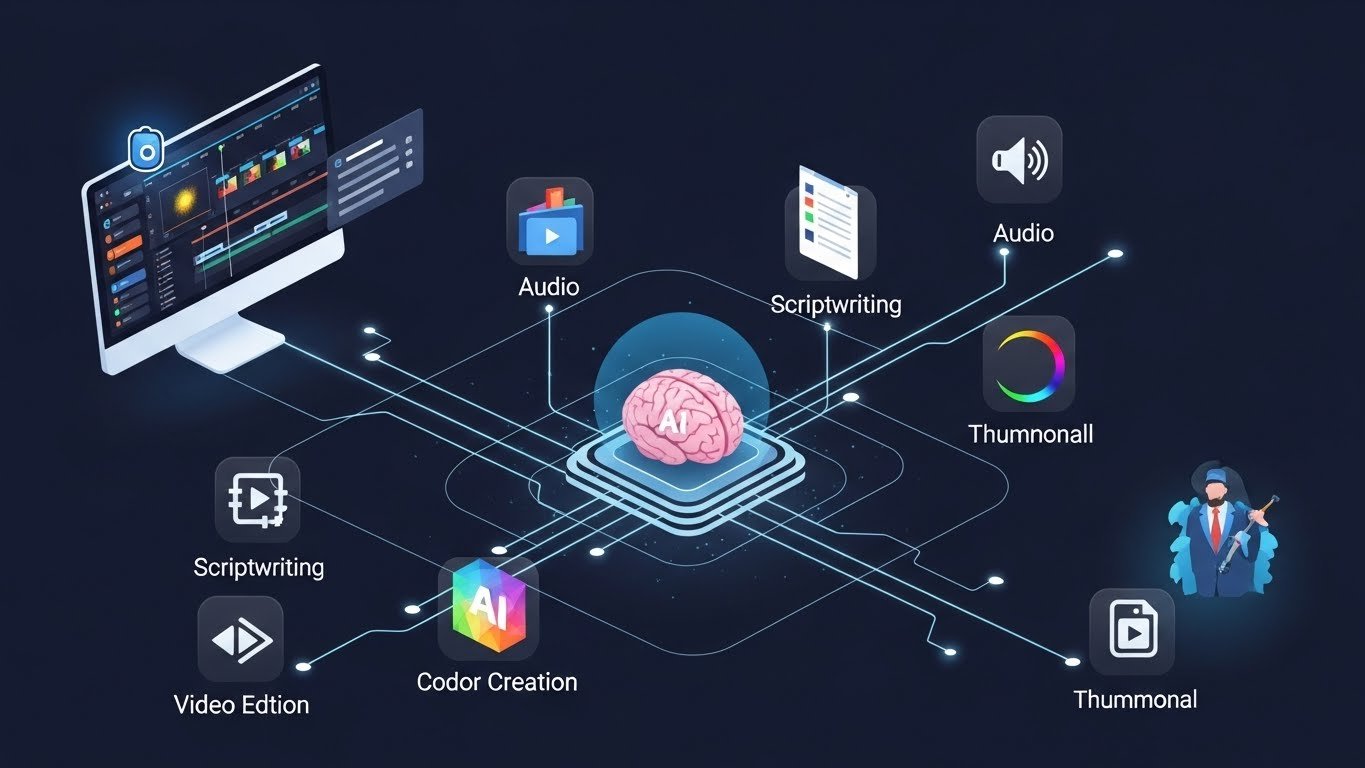
What these tools genuinely excel at is handling the repetitive, time-consuming tasks that used to eat up your production schedule. Think about everything that goes into a single YouTube video: research, scriptwriting, recording, editing, color correction, audio cleanup, thumbnail creation, caption generation, and metadata optimization. Each of these steps historically required either significant time investment or specialized skills.
The current generation of intelligent software tackles specific portions of this workflow remarkably well. Some tools handle scriptwriting with impressive coherence. Others can edit hours of footage down to digestible content in minutes. Still others generate professional-looking thumbnails or clean up mediocre audio. The magic happens when you strategically combine several of these tools into a streamlined production pipeline.
Script Generation: Your First Time-Saver
Let’s start where most videos begin—with the script. Writing for YouTube is its own skill set, distinct from blog writing, academic writing, or even screenwriting for traditional media. YouTube scripts need hooks that grab attention within seconds, pacing that maintains engagement, and a conversational tone that doesn’t feel rehearsed.
Several writing assistants have emerged that understand these nuances surprisingly well. When I’m facing a content calendar with multiple videos due and creative block setting in, these tools become invaluable starting points.
Claude, Jasper, and Copy.ai have all developed features specifically for video scripting. Rather than generating generic content, they can produce YouTube-optimized scripts complete with timestamp markers, call-to-action placements, and even suggestions for B-roll segments.
Here’s my honest assessment after using these extensively: they work best as collaborative partners rather than full replacements for your creative input. I typically provide a detailed outline—my main points, the angle I want to take, maybe a few key examples I want to include—and let the software generate a rough draft. That draft usually needs substantial editing, but it gives me something to react to rather than creating from nothing.
The time savings are real. What might take me two hours to write from scratch takes maybe 45 minutes when I’m editing and enhancing a machine-generated draft. More importantly, I’m less mentally exhausted at the end of the process because I’m editing (a less demanding cognitive task) rather than creating from a blank page.
ChatGPT with specific prompting has also become a go-to for many creators. The key is learning to prompt effectively. Vague requests yield vague results. But when you feed it specific information about your channel’s tone, your target audience demographics, and the exact problem your video solves, the output becomes remarkably usable.
One technique I’ve found valuable: feed these tools your best-performing scripts and ask them to analyze the patterns. Understanding why your existing content works helps generate new scripts that maintain your voice and style.
Video Editing Software: Where the Real Magic Happens
Editing is where most creators lose the most time. Traditional editing requires manually scrubbing through footage, identifying the good takes, cutting dead air, syncing audio, and assembling everything into a coherent narrative. For a typical 15-minute video, you might spend 4-8 hours in traditional editing software.
Several newer tools have changed this equation dramatically.
Descript: The Game-Changer for Talking-Head Content
If you create educational content, commentary videos, or any format where you’re speaking directly to camera, Descript has probably come up in your research. What makes it special is its transcript-based editing approach. You edit your video by editing text.
Record your content, upload it to Descript, and within minutes you have a complete transcript. See that paragraph where you rambled for thirty seconds? Delete those sentences from the transcript and the corresponding video cuts disappear. It’s intuitive in a way that timeline-based editing simply isn’t for verbal content.
The Overdub feature takes this further. Realize you misspoke or want to add a sentence without re-recording? The software can generate new audio in your voice. I’ll be honest—this feature is impressive but not perfect. Extended use of generated voice clips can create an uncanny quality that attentive viewers notice. I use it for single words or short phrases where natural re-recording isn’t practical.
Descript also handles filler word removal automatically. Those “ums,” “ahs,” and verbal pauses that make raw footage feel amateur? Gone with a single click. This alone saves me roughly an hour per video.
Opus Clip and Similar Short-Form Tools
If you’re repurposing long-form content into YouTube Shorts, TikToks, or Instagram Reels, tools like Opus Clip, Vidyo.ai, and Kapwing have become essential. These platforms analyze your longer videos, identify the most engaging moments based on various engagement signals, and automatically generate properly formatted vertical clips.
The accuracy varies. I’d say roughly 60-70% of auto-generated clips need minimal adjustment, while the rest either miss the mark entirely or need significant tweaking. But even with those limitations, creating ten short-form pieces from a single podcast episode that would have taken hours now takes maybe 30 minutes of review and minor editing.
CapCut and InVideo: The All-in-One Options
For creators who want a more comprehensive solution without paying premium prices, CapCut (from the TikTok parent company) and InVideo offer compelling feature sets. Both include intelligent editing suggestions, automated captioning, template-based creation, and various enhancement features.
CapCut’s auto-caption feature deserves specific mention. Caption accuracy approaches 95% for clear English audio, and the styling options are extensive. Given that captioned videos consistently outperform uncaptioned ones in engagement metrics, this feature alone justifies the time investment to learn the platform.
Voice and Audio: The Underrated Optimization Area
Poor audio kills videos faster than almost any other quality issue. Viewers will tolerate mediocre visuals but bail quickly on content with distracting background noise, inconsistent levels, or tinny voice recordings.
Adobe Podcast and Descript’s Studio Sound
Adobe Podcast’s “Enhance Speech” feature has become something of an industry phenomenon. Upload audio recorded on a basic phone mic in a room with echo, and the output sounds like it was captured in a professional studio. It’s not perfect—really damaged audio still sounds processed—but for moderately flawed recordings, the improvement is remarkable.
I’ve used this to rescue interview recordings where the guest’s audio was problematic. Rather than asking for a re-record (awkward and often impossible with busy guests), a quick trip through the enhancement feature made the audio broadcastable.
Descript offers similar functionality through its Studio Sound feature, integrated directly into the editing workflow. If you’re already editing in Descript, keeping audio enhancement in the same tool streamlines the process.
Voice Cloning and Synthetic Narration
This is where we enter ethically complicated territory that deserves careful consideration. Tools like ElevenLabs, Play.ht, and WellSaid Labs can generate remarkably natural-sounding voice narration. For faceless channels that rely on voiceover, these tools offer significant time savings.
My perspective: synthetic voices work well for certain content types—explainer videos, compilation content, news summaries—but create problems for content where personality and authenticity matter. If your channel’s value proposition is your unique perspective and personality, automated narration undermines that entirely.
There’s also the disclosure question. Should you tell your audience when content uses synthetic voice? I lean toward yes, though practices vary widely. Transparency tends to build long-term audience trust even if it creates short-term friction.
Thumbnail Generation: First Impressions at Scale
Your thumbnail determines whether anyone clicks your video at all. You could create the greatest content ever produced, and it means nothing if the thumbnail fails to stop the scroll.
Traditional thumbnail creation requires decent Photoshop skills and an understanding of what visually pops at small sizes. Several tools now handle this with impressive results.
Canva’s AI Features
Canva has integrated smart generation throughout its platform. For thumbnails specifically, you can now describe what you want, and the tool generates options based on your description. The results aren’t always perfect, but they provide solid starting points that require less time to refine than creating from scratch.
Canva’s Magic Eraser and background removal tools are particularly useful. Need to place yourself against a different background? What used to require careful masking in Photoshop now happens with a single click.
Midjourney and Ideogram for Custom Imagery
When I need truly unique imagery for thumbnails—scenarios I couldn’t easily photograph or situations that don’t exist—image generation tools have become invaluable. Midjourney creates stunning, attention-grabbing visuals based on text descriptions. Ideogram handles text in images better than most alternatives, useful for thumbnails that incorporate typography.
The learning curve exists. Prompting these tools effectively is a skill that develops with practice. But once you understand how to communicate with them, you can generate thumbnail concepts in minutes that would have required professional photographers or graphic designers previously.
Automation and Scheduling: The Behind-the-Scenes Efficiency
Creating video content is only part of the equation. Publishing, optimizing, and promoting that content across platforms consumes additional hours that intelligent tools can reclaim.
TubeBuddy and VidIQ
These YouTube-specific tools have incorporated predictive and optimization features that go beyond their original keyword research functions. Both now offer suggestions for titles, tags, and descriptions based on analysis of what’s working in your niche. They predict potential performance before you publish, helping you identify which videos might benefit from additional promotional effort.
Repurpose.io and Similar Distribution Tools
Creating content for YouTube and manually reformatting for every other platform wastes enormous time. Tools like Repurpose.io automate cross-platform distribution, adjusting formats and specifications automatically. Upload once, publish everywhere—that’s the promise, and these tools increasingly deliver on it.
Building Your Workflow: Practical Implementation
Understanding individual tools matters less than understanding how they fit together. Let me walk through what my current production workflow looks like for a typical video.
Day 1: Planning and Scripting (1-2 hours)
I start with research using traditional methods—watching competitor content, reading relevant articles, checking current discussions in my niche. Then I create a detailed outline with my main arguments and key examples.
That outline goes into my writing assistant with specific instructions about my channel’s tone and audience. The generated draft comes back within minutes. I spend the remaining time editing and enhancing, ensuring my authentic voice comes through.
Day 2: Recording (1-3 hours depending on complexity)
Recording time hasn’t changed much with new tools—you still need to capture the footage. But knowing that editing will be faster reduces the pressure to nail every take perfectly. I’m more relaxed during recording because cleanup is easier later.
Day 2-3: Editing (2-4 hours instead of 6-10)
Raw footage goes into Descript for initial assembly. Filler words get removed automatically. I edit the transcript to remove tangents and tighten pacing. Basic cuts happen in minutes rather than hours.
For more complex editing—adding B-roll, graphics, effects—I export to DaVinci Resolve. But the foundation is already solid from the transcript-based editing phase.
Audio gets enhanced as needed. Captions generate automatically and need minor corrections.
Day 3: Thumbnail and Publishing (30-45 minutes)
I generate multiple thumbnail concepts using a combination of Canva, Midjourney for custom elements, and my own photos. A/B testing features help identify which options might perform best.
Metadata gets optimized using TubeBuddy suggestions, though I always review and adjust rather than accepting recommendations blindly.
Total production time: 6-10 hours versus 15-25+ hours using traditional methods.
That’s real time returned to your life—time for strategic planning, audience engagement, or simply stepping away from the computer.
The Limitations Worth Acknowledging
No honest assessment ignores what these tools can’t do. Here’s where current intelligent video creation software falls short:
Authentic personality can’t be automated. If your channel’s value comes from your unique perspective, humor, or personality, software can’t replace that. Tools can enhance and support your authenticity but never create it.
Complex narratives require human judgment. A documentary with intricate storytelling, investigative journalism, or highly emotional content needs human editorial decisions that current technology can’t replicate well.
Quality ceilings exist. Tool-generated content often hits a quality ceiling below what skilled humans produce. For creators competing at the highest levels, where minor differences matter, human expertise remains essential.
Algorithm changes can undermine strategies. Tools optimized for current YouTube behaviors may become less effective as the platform evolves. Human adaptability matters more than tool-based optimization.
Creative originality suffers when everyone uses the same tools. If every creator in your niche uses identical software generating similar outputs, differentiation becomes harder. The tools that save time can also homogenize content.
Ethical Considerations for Responsible Use
Several ethical questions deserve attention from creators adopting these tools.
Disclosure and authenticity: When does using assistive technology cross into deception? Most viewers accept that creators use editing software and various production tools. But synthetic voices presented as the creator’s own, or entirely generated scripts presented as original thought, raise different questions.
My personal line: I’m transparent about my process when asked, and I ensure the ideas and perspectives in my content genuinely represent my thinking even when software helped articulate them.
Original creator compensation: Image and voice generation tools trained on existing content raise questions about compensation for original creators whose work informed the training. These are industry-wide issues without clear resolution, but they deserve consideration.
Quality and misinformation: Faster production shouldn’t mean lower accuracy standards. Tools that generate text can produce convincing-sounding false information. Verification responsibilities remain with the creator regardless of how content was produced.
Cost Considerations: What You’re Actually Paying
Let’s talk money, because these tools aren’t all free.
Script generation tools: Free tiers exist but typically limit output. Pro tiers range from $20-100/month depending on usage.
Video editing with intelligent features: Descript runs $24-44/month depending on the plan. Opus Clip starts around $19/month. Traditional editors like DaVinci Resolve have capable free versions.
Audio enhancement: Adobe Podcast’s Enhance is free. Descript includes audio features in its subscription. Dedicated tools like Izotope cost more but offer professional-grade capabilities.
Image generation: Midjourney costs $10-60/month depending on usage. Canva Pro runs $13/month with integrated features.
A reasonable stack costs $50-150/month for most mid-level creators. Whether that investment makes sense depends on your volume of production and how you value your time. At typical freelance rates, if these tools save you 10 hours monthly, they pay for themselves almost immediately.
Who Benefits Most (And Who Might Not)
These tools aren’t equally valuable for everyone.
Ideal candidates: Solo creators producing regular content on schedules, educators creating instructional material, businesses using YouTube for marketing, repurposing specialists who create content across multiple platforms.
Less ideal: Highly creative artists where the process is the product, investigative or journalistic creators where verification and nuance matter more than speed, personality-driven creators where every moment on screen must authentically represent them.
Looking Ahead: What’s Coming Next
Based on current development trajectories, several capabilities likely arrive within the next year or two:
- Video generation from text descriptions will improve dramatically, though replacing filmed content remains years away for most purposes
- Real-time collaboration features will make remote production teams more seamless
- Predictive performance tools will become more accurate, helping creators understand what might work before investing production time
- Cross-platform optimization will become more sophisticated, automatically adjusting content for each platform’s unique characteristics
The creators who will thrive are those who view these tools as capability multipliers rather than replacements for skill and creativity. Technology handles the mechanical aspects while humans focus on the creative and strategic decisions that actually matter.
Final Thoughts: Finding Your Balance
After years of experimenting with various intelligent production tools, my philosophy has settled into something practical: use technology to eliminate friction, but protect the elements that make your content genuinely yours.
The time savings are real and substantial. What used to consume my entire week now fits comfortably into a couple of focused days. That recovered time goes into research, community engagement, and honestly, maintaining a healthier relationship with content creation. Burnout kills more YouTube channels than algorithm changes ever will.
But the goal was never faster content for its own sake. It was sustainable creation of work I’m genuinely proud of. The best tools disappear into the workflow, handling mechanical tasks while you focus on the creative decisions that your audience actually cares about.
Start with one or two tools that address your biggest time drains. Master those before adding complexity. Build a workflow that feels natural rather than forcing yourself into unfamiliar processes just because they’re technologically sophisticated.
The YouTube creators succeeding in 2026 and beyond will be those who thoughtfully integrate intelligent tools while maintaining the authentic human elements that audiences connect with. Technology offers leverage; what you do with that leverage remains entirely your choice.