
There’s a specific kind of creative exhaustion that anyone managing social media understands. You’re staring at a perfectly good product photo, your posting schedule says it needs to go live in two hours, and your brain is completely empty. What do you say about this candle that you haven’t already said about the last forty-seven candles? How many ways can you describe coffee beans as “aromatic” before your followers unfollow out of sheer boredom?
I’ve been there. After managing social accounts for brands across food, fashion, SaaS, and professional services for nearly eight years, I’ve experienced every variety of caption writer’s block. The pressure to be consistently clever, engaging, and on-brand across multiple platforms, multiple times daily, is genuinely unsustainable without some form of assistance.
That’s where caption-generating tools have entered the picture, and I’ll be honest—my initial skepticism was significant. The early versions I tested around 2020-2021 produced content so generic and robotic that using it would have been professional malpractice. But the landscape has shifted dramatically. Today’s tools, when used thoughtfully, have become legitimate productivity multipliers that I incorporate into my workflow regularly.
This isn’t a list assembled from product pages and press releases. I’ve tested these platforms on actual client work, compared outputs side by side, and developed opinions about what works, what doesn’t, and where the genuine value lies. Let me share what I’ve learned.
The Reality of Caption Creation in 2026
Before evaluating specific tools, let’s acknowledge what we’re actually dealing with.
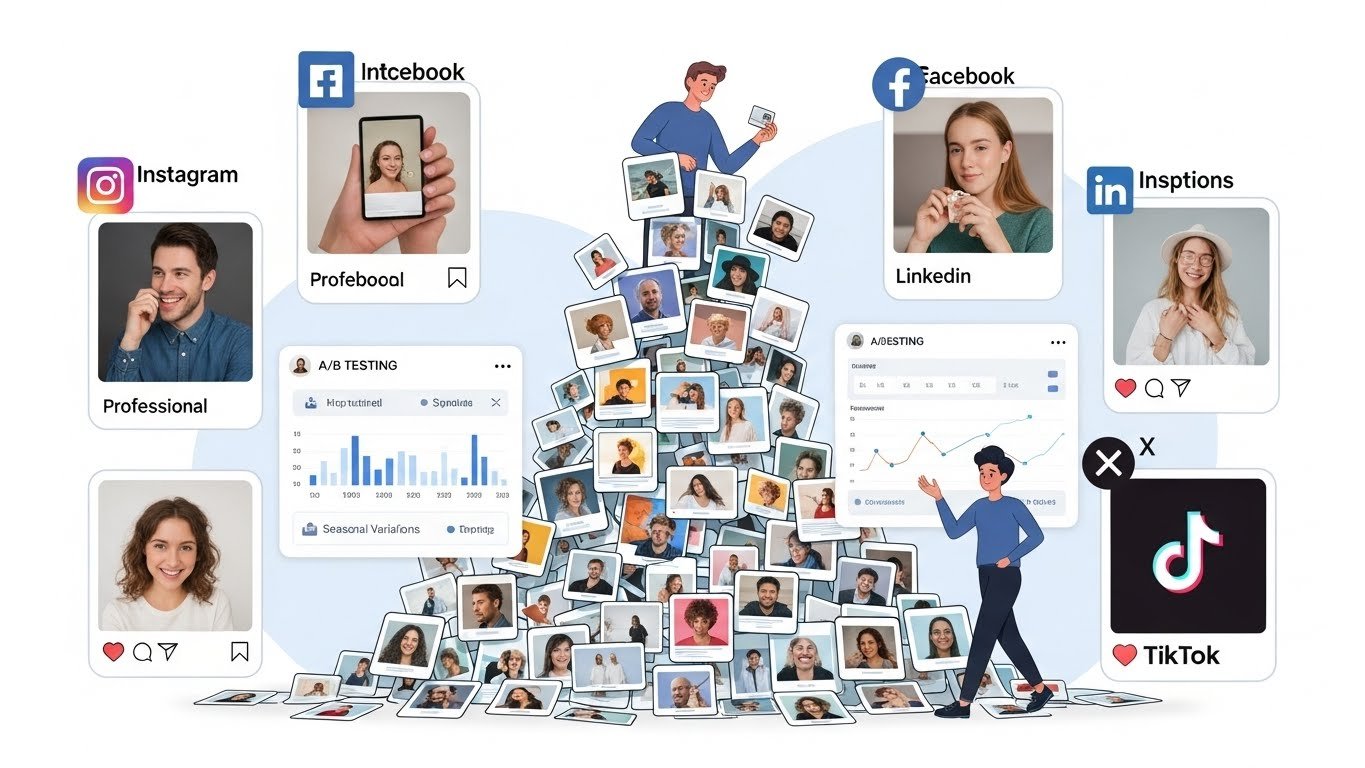
The average business managing active social presence across Instagram, Facebook, LinkedIn, TikTok, and X (formerly Twitter) might need 30-50+ pieces of original caption content weekly. Each platform has different character limits, audience expectations, and stylistic norms. What works on LinkedIn feels completely wrong on TikTok. What generates engagement on Instagram often falls flat on X.
Multiply this by the expectation of A/B testing different approaches, seasonal variations, campaign-specific messaging, and the constant pressure to stay relevant with trending topics and formats. No wonder social media managers report burnout rates comparable to emergency room nurses.
Caption generation tools address a real problem. The question isn’t whether they’re useful—it’s which ones actually deliver quality output and how to integrate them without sacrificing authenticity.
What Separates Good Caption Tools from Gimmicks
After extensive testing, I’ve identified what actually matters:
Platform awareness makes a massive difference. Tools that understand they’re writing for LinkedIn versus TikTok produce dramatically better starting points than generic text generators. The tone, length, hashtag usage, and call-to-action styles differ significantly by platform, and good tools bake this understanding in.
Brand voice customization is essential. Your brand has a personality—or should. Tools that can learn and replicate that voice produce usable outputs. Those that only offer generic “professional” or “casual” toggles produce content that sounds like everyone else.
Variation capability determines long-term value. Any tool can produce one decent caption. The test is whether it can produce ten different approaches to the same product or topic without becoming repetitive. This is where many tools fail.
Editing interface quality affects real productivity. You’re never going to use outputs verbatim (and you shouldn’t). How easy is it to refine, adjust, and iterate? Clunky interfaces negate time savings.
Hashtag and emoji intelligence matters. Some tools add hashtags and emojis intelligently based on platform norms and content type. Others throw them in randomly or excessively. This seemingly small detail significantly impacts output usability.
The Tools Worth Your Attention
I’ve organized these by primary strength and typical user profile. There’s no single “best” tool—only the best tool for your specific situation.
Jasper: The Professional’s Workhorse
Jasper (which many still remember as Jarvis before the Marvel-induced rebrand) has earned its reputation as a premium content tool, and their social media capabilities reflect that positioning.
What distinguishes Jasper is the depth of customization. You can train it on your brand voice by providing example content, define specific tones for different platforms, and create templates for recurring content types. For agencies managing multiple brands, this capability is transformative—you can maintain distinct voices without constantly rewriting instructions.
The caption outputs tend toward polished and professional, which works beautifully for B2B brands, professional services, and premium consumer products. For a financial services client, Jasper consistently produced LinkedIn content that required only light editing before posting—maybe 10-15% modification versus 60-70% with lesser tools.
The interface includes specific templates for different platforms and content types: product launches, testimonials, behind-the-scenes content, promotional posts. This structured approach speeds workflow considerably once you’ve set up your brand profile.
Pricing is the primary barrier. At roughly $49-125/month depending on the tier, Jasper isn’t impulse-purchase territory. But for professionals whose time has meaningful value, the math often works out. I estimate Jasper saves me 5-7 hours weekly on caption creation—at any reasonable hourly rate, that justifies the subscription several times over.
Limitations? Jasper’s outputs can feel too polished for brands with edgier, more casual personalities. TikTok captions, in particular, sometimes need significant loosening up. And while the platform has improved its understanding of current trends, there’s still occasional lag in referencing the cultural moments that make social content feel timely.
Best for: Agencies, B2B companies, premium brands, professional services, anyone managing multiple brand voices.
Copy.ai: Best Balance of Quality and Accessibility
If Jasper is the premium option, Copy.ai occupies a compelling middle ground—capable enough for professional use, accessible enough for small businesses and solopreneurs.
Copy.ai’s social media tools include specific frameworks for different objectives: engagement-focused captions, promotional content, educational posts, story-telling formats. You select your goal, provide basic inputs about your product or topic, and receive multiple caption variations to choose from.
What I appreciate is the variation quality. Ask for five Instagram caption options, and you’ll actually get five meaningfully different approaches—different hooks, different structures, different emotional angles. Some tools produce variations that are essentially the same caption with synonyms swapped; Copy.ai provides genuine alternatives.
The free tier offers meaningful functionality for testing, with paid plans starting around $36/month for unlimited use. The value proposition is strong for small businesses who need consistent caption production without enterprise budgets.
The brand voice training is less sophisticated than Jasper’s but functional. You can provide examples and specify tone attributes. For single-brand users, this is usually sufficient.
Where Copy.ai falls short is in platform-specific optimization. The outputs tend to be somewhat generic—usable across platforms but not specially tailored to any. You’ll need to adjust length, hashtag approach, and tone depending on where the content is going.
Best for: Small businesses, solopreneurs, marketers managing single brands, those wanting quality without premium pricing.
Hootsuite’s OwlyWriter AI: Integration Advantage
If you’re already using Hootsuite for social media management, their integrated OwlyWriter presents a compelling case simply for workflow efficiency.
OwlyWriter lives within Hootsuite’s existing interface, meaning you can generate captions, edit them, schedule posts, and track performance without switching between platforms. For busy social media managers juggling multiple responsibilities, this integration matters more than feature-by-feature comparisons might suggest.
The caption quality is solid if not exceptional. I’d rate outputs slightly below Jasper and roughly comparable to Copy.ai. Where OwlyWriter excels is in understanding the scheduling context—it can reference your content calendar, avoid conflicts with other planned posts, and suggest timing based on your historical engagement data.
The repurposing features are genuinely useful. Give it a blog post or article, and it’ll generate platform-appropriate caption versions that extract key points. For content marketers extending article reach through social distribution, this saves considerable time.
Pricing is bundled with Hootsuite’s broader plans, which start around $99/month for professional use. If you’re not already a Hootsuite user, the cost is hard to justify for captions alone. But for existing users, OwlyWriter is a natural addition.
Limitations include less creative variation than standalone tools and brand voice customization that’s more limited than competitors. The outputs also tend conservative—unlikely to produce anything cringe-worthy but also unlikely to produce anything particularly creative.
Best for: Existing Hootsuite users, teams prioritizing workflow integration, content repurposing workflows.
Buffer’s AI Assistant: Simplicity Champion
Buffer has long positioned itself as the friendly, approachable option in social media management, and their caption assistant follows that philosophy.
The tool is refreshingly straightforward. Tell it what you want to post about, select your platform, indicate your preferred tone, and receive caption suggestions. No complex setup, minimal learning curve, functional results within minutes of signup.
Caption quality is decent—I’d place it in the middle of the pack. The outputs are usable starting points that typically need 20-30% modification. What they lack in sophistication they make up for in accessibility. For small business owners who aren’t marketing professionals, Buffer removes intimidation from the process.
The post-idea generation feature deserves mention. Stuck on what to even post about? Buffer can suggest content ideas based on your industry and past performance. This addresses the “blank page” problem that caption tools alone don’t solve.
Pricing is accessible, with meaningful functionality in their free tier and paid plans starting around $6/month per channel. For budget-conscious users managing a handful of accounts, the value is exceptional.
The trade-off is capability ceiling. Buffer’s assistant won’t match Jasper’s sophistication for complex brand voice requirements or high-volume professional use. It’s designed for simplicity, and that design choice has inherent limitations.
Best for: Small businesses, non-marketing professionals managing social presence, those prioritizing simplicity over power features.
Later’s Caption Writer: Instagram-First Approach
Later built its reputation on Instagram scheduling and visual planning, and their caption tools reflect that Instagram-centric heritage.
What Later does exceptionally well is understand Instagram’s visual-first culture. Their caption generator considers the image you’re posting alongside the caption request, producing content that actually relates to the visual rather than generic product descriptions. This might seem obvious, but several competitors ignore the image entirely.
The hashtag suggestions are Instagram-optimized, balancing reach (larger hashtags) with discoverability (niche hashtags) in ways that reflect actual Instagram SEO understanding. For brands serious about Instagram growth, these recommendations have real strategic value.
Caption length is handled intelligently. Later understands the fold (where Instagram truncates captions), front-loading the hook while saving context and calls-to-action for the expanded text. Again, platform-specific intelligence that generic tools lack.
Pricing starts around $18/month for meaningful functionality, scaling with features and users.
The limitation is obvious: Later is Instagram-first. Their LinkedIn, TikTok, and X capabilities exist but aren’t as developed. If Instagram is your primary platform, Later is excellent. If you’re managing presence across multiple platforms equally, a more platform-agnostic tool might serve better.
Best for: Instagram-focused brands, visual product companies, influencers, lifestyle and consumer brands.
Canva’s Magic Write: The All-in-One Appeal
Canva’s expansion into text generation represents an interesting value proposition. If you’re already designing social graphics in Canva—and millions of businesses are—having caption generation in the same interface creates genuine workflow efficiency.
Magic Write can generate captions while you’re designing the accompanying graphic. See the visual, request caption options, make adjustments to both in the same session. For visual-first content creation, this integration feels natural.
Caption quality is moderate. I find Magic Write outputs slightly more generic than dedicated tools, requiring more editing to reach posting-ready status. But the convenience factor is substantial for Canva-centric workflows.
The feature is included in Canva Pro subscriptions (roughly $13/month), making it essentially free for existing subscribers. As an add-on rather than the primary subscription driver, it offers solid value.
What Magic Write lacks is the sophisticated brand voice training and platform optimization of dedicated caption tools. It’s a convenience feature, not a professional caption-generation system. Treat it accordingly.
Best for: Canva users, visual-first content creators, those wanting design and copy in one place.
Predis.ai: The Trend-Aware Option
Predis.ai caught my attention specifically for its approach to trending content and competitor awareness.
The platform analyzes trending topics, hashtags, and content formats across platforms, then incorporates these insights into caption suggestions. For brands trying to stay culturally relevant and timely, this trend-awareness adds genuine value over tools that ignore the current moment entirely.
The competitor analysis feature is interesting: input competitor accounts, and Predis.ai analyzes their content patterns, engagement rates, and caption styles to inform suggestions. It’s not about copying—it’s about understanding what’s working in your space.
Caption outputs tend toward trendy and engagement-optimized. The platform explicitly considers what drives comments, saves, and shares, skewing suggestions toward proven engagement patterns. This works well for brands prioritizing metrics over brand voice consistency.
Pricing starts around $29/month, positioning it in the accessible-professional range.
Limitations include less sophisticated brand voice customization and outputs that can feel algorithm-chasing rather than authentic. The trend-awareness is valuable, but over-reliance produces content that feels reactive rather than distinctive.
Best for: Brands prioritizing engagement metrics, those wanting trend awareness, competitive industries.
Simplified: Budget-Friendly Bundle
Simplified packages caption generation with graphic design, video editing, and other content tools at aggressive price points. For small businesses needing the full content creation stack without enterprise budgets, the bundle value is substantial.
Their caption tool is functional if not exceptional. Outputs are usable starting points that typically need editing. The platform-specific templates help, and the interface is genuinely intuitive.
What distinguishes Simplified is the pricing model. Their free tier includes meaningful caption generation capability, and paid plans starting around $12/month unlock substantial functionality across their tool suite.
The trade-off is capability depth. Simplified’s caption tool won’t match Jasper’s sophistication, but it also costs a fraction of the price. For users who need “good enough” across many functions rather than “excellent” in one, the value proposition works.
Best for: Budget-conscious small businesses, those needing multiple content tools, users prioritizing value over specialized capability.
Anyword: The Data-Driven Choice
Anyword takes a notably analytical approach to caption generation. Their platform emphasizes predictive performance scoring, estimating how different caption options will perform before you post them.
Each generated caption includes a predicted engagement score based on historical data patterns. You can compare options not just by reading them but by seeing numerical performance predictions. For data-driven marketers, this approach resonates.
The platform learns from your actual performance over time, refining predictions based on what works for your specific audience. This feedback loop theoretically improves output relevance over time, though I’ve found the improvement takes months to become significant.
Caption quality is strong—Anyword competes with Jasper in terms of output sophistication. The brand voice training is robust, and platform-specific optimization is well-developed.
Pricing runs higher than mid-tier competitors, starting around $39/month for meaningful capability. The target audience is clearly professional marketers who value data-driven decision making.
Limitations include a steeper learning curve than simpler tools and performance predictions that aren’t always accurate (no surprise—predicting social media engagement is inherently uncertain).
Best for: Data-driven marketers, brands with substantial posting history for training, those who value predictive analytics.
Tailwind Ghostwriter: Pinterest and Instagram Specialty
Tailwind built its platform around Pinterest and Instagram, and their Ghostwriter tool reflects this specialized focus.
For Pinterest specifically, Ghostwriter produces pin descriptions optimized for Pinterest’s search algorithm—incorporating keywords naturally, using appropriate length, and following Pinterest’s best practices. If Pinterest is a significant traffic driver for your business, this specialization has real value.
Instagram captions are solid, with good hashtag suggestions and length optimization. The integration with Tailwind’s scheduling and analytics creates workflow efficiency for users already in the ecosystem.
Pricing bundles with Tailwind’s broader platform, starting around $20/month.
The limitation is platform scope. Tailwind isn’t designed for LinkedIn, TikTok, or X. If you need those platforms, you’ll need additional tools.
Best for: Pinterest-focused businesses, e-commerce brands using visual discovery, Instagram and Pinterest users already on Tailwind.
How to Actually Use These Tools Effectively
Having the right tool matters less than using it correctly. Here’s what I’ve learned about extracting maximum value:
Never post raw outputs. I cannot emphasize this enough. Even the best tools produce content that needs human refinement. Use outputs as starting points—drafts that need your voice, your specificity, your brand’s unique perspective. Plan for 15-30% editing on good outputs, more on mediocre ones.
Provide rich inputs. The quality of caption outputs directly correlates with the quality of inputs. “Write a caption for coffee” produces generic results. “Write an Instagram caption for our single-origin Ethiopian coffee, targeting home brewing enthusiasts, highlighting the bright citrus notes, in our playful-but-knowledgeable brand voice” produces something useful.
Generate multiple options, then synthesize. I rarely use any single generated caption as-is. Instead, I’ll generate 5-10 options, identify the best elements from each, and synthesize something that combines the strongest hook, clearest value proposition, and most authentic-feeling language.
Build and maintain voice guides. Take time to develop detailed brand voice documentation—sample captions, vocabulary preferences, phrases to avoid, tone attributes by platform. Reference this when configuring tools and evaluating outputs. Consistency requires intentional guidance.
Batch efficiently. These tools work best in batch sessions. Dedicate specific time blocks to caption generation, producing a week or month of content in focused sessions rather than scrambling for individual posts. The workflow efficiency compounds significantly.
Track what works. Not all generated captions perform equally. Track which approaches drive engagement and feed those learnings back into your prompting strategy. Over time, you’ll develop intuition for what your specific audience responds to.
The Limitations You Need to Understand
Let me be direct about what these tools cannot do:
They don’t understand your specific moment. Something happened at your company yesterday that’s perfect social content? The tool has no idea. Real-time, newsworthy, genuinely timely content requires human awareness.
They lag behind cultural moments. By the time a meme format is widespread enough for training data, it’s often already past peak. Genuine trend-riding requires human cultural awareness.
They can’t capture genuine personality quirks. The inside jokes, the specific ways your brand talks, the unique perspective that makes followers feel like they know you—this requires human authorship, or at minimum heavy human editing.
They occasionally produce cringe. I’ve seen outputs that were technically competent but tonally wrong in subtle ways. Brand-appropriate sarcasm that landed as mean-spirited. Enthusiasm that read as desperate. Human judgment remains essential.
They’re not creative in the truest sense. These tools recombine patterns from training data. Genuinely novel ideas, surprising perspectives, creative leaps—these still require human creativity. Use tools to execute ideas efficiently, not to replace ideation entirely.
Ethical Considerations Worth Mentioning
A few thoughts on responsible use:
Transparency has value. I’m not suggesting you label every post “(assisted by AI),” but understanding that audiences value authenticity should inform how you use these tools. Heavy automation risks feeling impersonal if taken too far.
Originality matters. Using the same tools as everyone else with similar prompts produces similar content. The distinctive voice that builds genuine audience connection requires human investment that tools can support but not replace.
Don’t automate empathy. Posts addressing sensitive topics, responding to community concerns, or engaging with emotional moments should involve thoughtful human authorship. Automated condolences or crisis responses feel hollow.
Proofread for errors and oddities. Tools occasionally produce factual errors, awkward phrasing, or inappropriate content. Human review isn’t just about brand voice—it’s about avoiding embarrassing mistakes.
Making Your Choice
Let me simplify the decision:
If you’re an agency or manage multiple brands: Jasper’s voice training justifies the premium.
If you’re a small business on a budget: Copy.ai or Simplified offer strong value.
If you’re already using a social management platform: Check their built-in options first (Hootsuite, Buffer, Later).
If Instagram is your primary focus: Later understands the platform deeply.
If you prioritize data-driven decisions: Anyword’s analytical approach may resonate.
If you need visual content creation too: Canva or Simplified bundle the capabilities.
If Pinterest matters for your business: Tailwind’s Ghostwriter has specialized value.
Start with free trials. Test on actual content from your queue. Evaluate not just the raw outputs but the time to create posting-ready content. The best tool is the one that saves you the most time while maintaining your quality standards.
The Bigger Picture
Caption generation tools have genuinely improved my professional practice. They’ve reduced creative burnout, increased content consistency, and freed time for strategic thinking that generic caption writing was consuming.
But I want to be clear about what that means. These tools haven’t replaced creativity—they’ve handled the commodity aspects of caption writing so I can focus creativity where it matters most. The big campaign ideas, the brand voice definition, the response to unexpected moments—human authorship remains essential for what builds genuine connection.
Think of caption tools as skilled assistants who can draft competently but need your direction, your review, and your final judgment. That’s the honest assessment after years of use. They’re valuable. They’re not magic. Used thoughtfully, they make social media management substantially more sustainable.
Now, if you’ll excuse me, I have about 30 captions to review and refine. The tools provided the starting points. Making them genuinely good is still my job.